

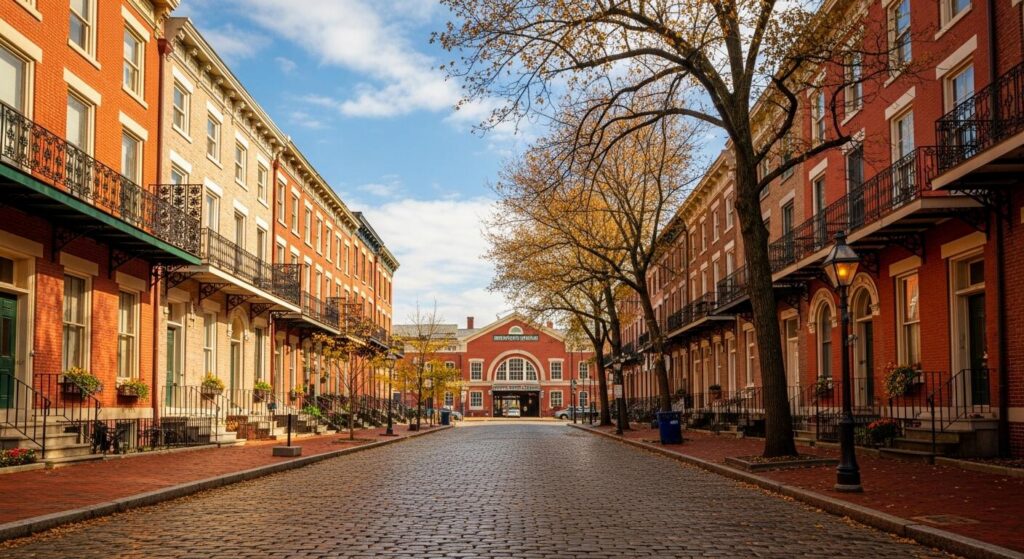
There is an undeniable magic to doing business in St. Louis’s historic districts. The cobblestone streets of Lafayette Square, the wrought-iron balconies, and the stunning 19th-century red brick of Soulard give your company a sense of character and permanence that a modern office park simply cannot replicate.
But behind those beautiful facades lies a hidden challenge that many business owners don’t anticipate until move-in day: building codes from 1890 didn’t exactly plan for cloud computing, high-speed Wi-Fi, and cybersecurity infrastructure.
Suddenly, your Point-of-Sale (POS) system keeps dropping. Your team can’t get a Wi-Fi signal in the back office. And when you look into hardwiring your network, you quickly discover that St. Louis’s strict historic preservation ordinances mean you can’t just drill a hole through the wall or string cables across the exterior.
Navigating the intersection of historic preservation and modern IT infrastructure can feel like walking a tightrope. But with the right strategy, you don’t have to sacrifice connectivity for charm. Let’s explore why technology behaves differently in historic spaces, the rules you need to know, and the modern toolkit that can bring your historic building into the digital age.
The Allure (and Hidden Tech Tax) of Historic St. Louis
When you lease or buy a commercial space in a historic neighborhood, you are inheriting both a legacy and a set of structural limitations. In the IT world, we often refer to this as the “physics” problem of old buildings.
Why Your Wi-Fi Doesn’t Work: The Science of 19th-Century Materials
If you’ve ever wondered why your cell service drops the second you walk into a Soulard restaurant, or why your router can’t reach the second floor of your Lafayette Square office, the answer is built into the walls.
Modern office buildings are built with drywall and metal studs—materials that radio frequencies (like Wi-Fi and 5G) can penetrate relatively easily. Historic St. Louis buildings, however, are constructed using:
- Dense multi-layer brick and stone: These heavy materials absorb high-frequency wireless signals.
- Plaster and lathe: Traditional plaster often contains wire mesh backing. When wireless signals hit this wire mesh, it acts like a “Faraday cage,” scattering and blocking the signal almost entirely.
- Thick timber and structural iron: These absorb and reflect signals, creating unpredictable “dead zones.”
This means a standard off-the-shelf router that covers 3,000 square feet in a modern home might only cover one room in a historic property.
Understanding the Rules: Historic Preservation Meets Modern IT
The second major hurdle is regulatory. Neighborhoods like Lafayette Square and Soulard are protected by the City of St. Louis’s historic district ordinances. These rules exist to preserve the architectural integrity of the city, but they can be a headache for IT installations.
While interior rules are generally more flexible, exterior alterations are heavily scrutinized. Common preservation constraints that impact IT include:
- No exterior drilling: You typically cannot drill through historic brick or mortar to run exterior cables or mount standard security cameras without special approval.
- Conduit restrictions: Running ugly PVC pipes along the outside of a building to connect a carriage house to the main network is a fast track to a code violation.
- Preservation of period details: Inside, you must be careful not to damage historic plaster, intricate molding, or original wood floors when routing ethernet cables.
For many businesses, this creates a frustrating standoff. You need enterprise-grade connectivity, but the traditional ways of getting it are either structurally impossible or legally forbidden.
The Modern IT Toolkit for Historic Buildings
The good news? You don’t need to tear down your plaster walls to get enterprise-level IT support. Modern technology offers elegant, non-invasive solutions that respect historic architecture while delivering seamless performance.
1. Aesthetic-Compliant Connectivity: Mesh Networks and Point-to-Point Wireless
Instead of trying to force a single powerful Wi-Fi signal through brick walls, IT strategists use enterprise-grade Mesh Wi-Fi systems. These systems use multiple low-profile nodes placed strategically throughout the building to bounce the signal around corners and down hallways, entirely bypassing the dense walls.
If your business occupies a main building and a detached structure (like a carriage house), you can use Point-to-Point (PtP) wireless bridges. These act like an invisible ethernet cable, beaming a high-speed connection between the two buildings without requiring a trench in the courtyard or cables hung across the exterior.
2. Low-Impact Structured Cabling
When hardwiring is necessary—such as for servers, heavy data workstations, or VoIP phone systems—an experienced IT team will use creative routing. This means leveraging existing structural pathways rather than creating new ones. We often run cables through:
- Decommissioned chimney flues
- Existing HVAC chases and cold air returns
- Behind original baseboards (with careful removal and replacement)
- Through basements and cellars to come up through the floor, rather than down through the ceiling.
Some advanced IT strategies even involve 3D laser scanning to map the internal voids of a building, allowing engineers to plan cable routes without invasive exploratory drilling.
3. Stealth Security and Operations
Physical security is crucial, but a bulky modern camera mounted on a 19th-century facade looks out of place and violates preservation guidelines. Today’s commercial security solutions include low-profile, high-definition dome cameras that can be painted to match historic trim, and wireless access control systems that require minimal wiring to install on historic doors.
Furthermore, by migrating your infrastructure to the cloud—using platforms like Microsoft 365 and cloud-hosted VoIP phone systems—you drastically reduce the amount of physical server equipment (and cabling) you need to house on-site.
Real-World Example: Connecting a Soulard Business
Imagine a bustling restaurant and event space in Soulard. The main dining room is in a brick building from 1885, the kitchen was added in the 1920s, and they have a beautiful outdoor patio.
Initially, their POS tablets constantly disconnected when servers walked out to the patio, and the back-office manager couldn’t load inventory software. A generalist IT provider might suggest running ethernet cables along the beautiful tin ceilings—an eyesore and a potential hazard.
Instead, a strategic IT partner takes a different approach:
- They map the building’s materials to identify exactly where the brick is killing the signal.
- They route a single, high-speed fiber line from the basement up through an abandoned laundry chute to a central switch.
- They install discreet wireless access points painted to blend into the ceiling, creating an overlapping web of Wi-Fi that reaches the kitchen, the dining room, and the patio seamlessly.
- They implement 24/7 network monitoring to ensure that if a POS tablet drops offline, an IT support technician knows about it and begins fixing it before the restaurant staff even has time to call for help.
The business gets blazing-fast internet, and the historic charm of the building remains completely untouched.
Your Historic Building IT Checklist
If you are moving into a historic St. Louis property, or if you are tired of battling poor connectivity in your current space, use this checklist before making any major technology decisions:
- Assess the Structure: Walk through your building with your cell phone and a laptop. Where do signals drop? Make note of the thickest walls and original plaster.
- Review Local Ordinances: Before approving any IT vendor’s plan, check with the St. Louis Cultural Resources Office or your local neighborhood restoration committee regarding exterior mounts and cabling.
- Audit Your Tech Dependencies: How reliant are you on the cloud? Do you need heavy on-site servers, or can a dedicated Virtual Chief Information Officer (vCIO) help you migrate to a more lightweight, cloud-based setup to save physical space?
- Prioritize Proactive Support: When old infrastructure meets modern demands, hiccups happen. Ensure your IT team has a rapid response time (ideally under 90 seconds) and a multi-tiered help desk so that if your network does hiccup, a specialist engineer is on it immediately.
Protecting Your Business’s Future (and Past)
Your historic St. Louis building sets your business apart. Your IT infrastructure should elevate that experience, not hold it back.
Navigating the complexities of historic preservation while building a resilient, secure network requires more than just an “IT guy.” It requires a dedicated team of specialists who understand both the physical constraints of 19th-century architecture and the strategic demands of modern business.
Whether it’s deploying a dedicated vCIO to help map out your technology roadmap, ensuring your network is backed by robust cybersecurity, or providing a multi-tiered help desk that resolves issues the same day, true IT partnership means your technology works seamlessly in the background. So you can focus on making your own history in St. Louis.

