

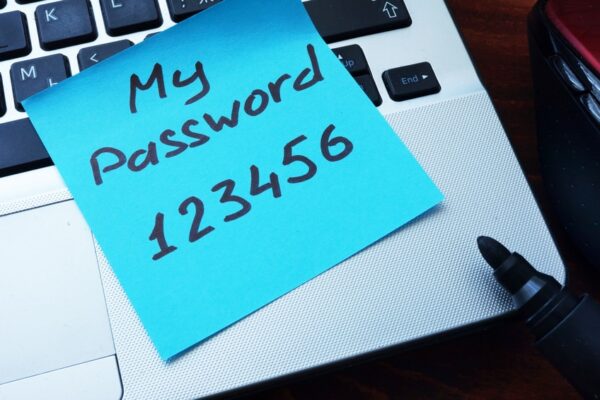
123456. Password. 12345678. Qwerty. Abc123. Iloveyou.
These are not just weak passwords — they’re security risks.
Best Password Practices start with avoiding the most common and easily guessed passwords. Microsoft knows this — and now they’re taking major steps to protect users from themselves.
The ongoing fight for internet security begins with you. Every user, every business, every login. A single weak password can expose sensitive data and open the door for cybercriminals.
That’s why Microsoft is banning common passwords, using years of data from security breaches to block predictable patterns and strengthen digital safety for everyone.
Why Microsoft Is Enforcing Best Password Practices
Letmein will not let you in. And that’s exactly the point.
Hackers have long relied on human error and laziness — reusing old passwords, slight variations of “password123,” and predictable substitutions like “P@ssword1.”
A 2015 Entrepreneur Magazine study revealed some eye-opening stats that prove why Best Password Practices matter:
- 21% of users have passwords more than 10 years old
- 47% have used the same password for over 5 years
- 54% rely on just 5 or fewer passwords for all accounts
Once one account is breached, hackers often gain access to multiple systems, from email to payroll to financial accounts. According to Entrepreneur, 40% of Americans have already received a notice that their personal data was compromised.
Following Best Password Practices helps eliminate these vulnerabilities.
How Microsoft’s Password Ban Supports Best Password Practices
Microsoft’s new security framework automatically bans weak and commonly used passwords, even if they appear complex. Find out more from Microsoft Password Security Blog: Keeping Your Passwords Secure.
The system is active for Microsoft Account Services and rolling out across Azure AD, Outlook, OneDrive, and Xbox.
By enforcing Best Password Practices, Microsoft ensures users can no longer rely on outdated or guessable credentials — protecting both personal and business data.
Best Password Practices: How to Build Stronger Passwords
Microsoft and ThrottleNet both recommend following Best Password Practices to protect yourself, your employees, and your business.
Here’s how to create strong, secure passwords:
- Use unique passwords for every account. Never reuse login credentials.
- Avoid single words or common phrases such as “password,” “iloveyou,” or “qwerty.”
- Skip personal details like birthdays, pet names, or family names.
- Turn on two-factor authentication (2FA) wherever possible.
- Use 8–12 characters minimum, with uppercase, lowercase, numbers, and special symbols.
- Consider a password manager to safely store and generate strong passwords.
- Update passwords regularly, especially after data breaches or job changes.
Following Best Password Practices drastically reduces your risk of becoming a cyberattack victim.
Frequently Asked Questions About Best Password Practices
1. What are the Best Password Practices for small businesses?
Small businesses should use unique, complex passwords for every login, enable multi-factor authentication, and use a password manager to maintain security across their organization. Learn more about our Managed Cybersecurity Services to protect your company.
2. How can my St. Louis business prevent password-related breaches?
Implement password rotation policies, require strong passwords for all employees, and rely on local IT experts like ThrottleNet to monitor and enforce compliance through Managed IT Security Solutions.
3. Why is two-factor authentication part of Best Password Practices?
Two-factor authentication (2FA) provides an additional layer of protection by requiring a second verification step — even if a password is stolen, attackers can’t access your account without the secondary code.
4. What should I do if my password is hacked?
Immediately change your password, enable 2FA, and run a full system scan. Then contact your IT provider or ThrottleNet Support for professional help to secure your network.
5. Are password managers safe to use?
Yes. Reputable password managers encrypt your credentials, helping you create and store strong, random passwords safely — a key part of Best Password Practices.
Why Best Password Practices Matter for St. Louis Businesses
For St. Louis companies, password security is not just good IT hygiene — it’s business survival. Cybercriminals often target small and mid-sized businesses with weak passwords and minimal protection.
By implementing Best Password Practices, St. Louis organizations can reduce risk, safeguard data, and stay compliant with cybersecurity regulations.
At ThrottleNet, we provide Managed IT Security Services to help local businesses stay ahead of evolving cyber threats. Our services include:
- Password policy enforcement and monitoring
- Employee cybersecurity awareness training
- Threat detection and response
- Multi-factor authentication setup
- Secure remote access management
Strong passwords are the first line of defense. ThrottleNet helps ensure that line never breaks.
Stay Secure with ThrottleNet
Ready to strengthen your network security?
Contact ThrottleNet today for a full Network Security Analysis and discover how our Managed IT Services can help your organization follow Best Password Practices and prevent costly breaches.
We proudly serve businesses across the St. Louis metro area, including Chesterfield, Clayton, St. Charles, O’Fallon, and Edwardsville.
Protect your data. Protect your team. Protect your future — with ThrottleNet’s Best Password Practices and cybersecurity expertise.

