
Imagine you’re sitting at a local coffee shop on Highway K, finalizing the details of a major closing. You quickly connect to the free Wi-Fi, open your laptop, and email the final wire instructions to your buyer.
Everything seems routine—until closing day arrives, and the title company says the funds never showed up.
Your buyer sent $400,000 to a fraudulent account because a hacker intercepted your email, tweaked the routing number, and sent it from an address that looked exactly like yours. This is the “Million-Dollar Typo,” and in the real estate industry, it’s a nightmare that happens far too often.
For real estate professionals in O’Fallon, the ability to work from anywhere is essential. You’re constantly moving between open houses, client meetings, and your vehicle. The cloud makes this mobility possible, but it also introduces new risks. If you’ve ever searched for guidance on how to secure your agency’s data, you’ve likely found a frustrating mix of highly technical jargon from big tech companies or broken links on trusted industry association websites.
You don’t need an IT degree; you need a practical way to protect your clients, your commissions, and your reputation. Let’s break down what secure cloud solutions actually mean for your real estate business, and how you can close deals from anywhere without lying awake at night worrying about data breaches.

What “The Cloud” Really Means for Your Real Estate Business
At its simplest, “the cloud” just means storing and accessing your data and programs over the internet instead of on your computer’s local hard drive. For a real estate agency, the benefits are game-changing: you get instant access to your CRM from your phone, seamless collaboration with your transaction coordinators, and massive cost savings on physical servers.
But there is a dangerous misconception that leaves many agencies vulnerable.
The Biggest Misconception: The Shared Responsibility Model
Many agents assume that because they use Microsoft 365 or Google Workspace, their tech provider handles all the security. If something goes wrong, it’s Google’s problem, right?
Not quite. Welcome to the Shared Responsibility Model.
Think of your cloud provider like a highly secure bank vault. The bank (Microsoft, Google, or your CRM provider) is responsible for the vault itself. They build thick walls, install security cameras, and ensure the building doesn’t collapse. That’s the infrastructure.
However, you are responsible for who you give the vault key to, and what you put inside. If you leave your key on a park bench (like having a weak password) or put something dangerous inside the vault, the bank isn’t responsible for the fallout. Securing your data, managing user access, and training your agents to spot phishing emails—that falls entirely on your agency.
Your 7-Point Real Estate Security Checklist
To protect your vault, you need a proactive strategy. Here is an actionable, 7-point checklist tailored specifically for real estate workflows:
1. Enforce Strong Password Policies
“Password123!” is practically an invitation for hackers. Require your team to use long, complex passphrases, and utilize a secure business password manager so they don’t have to memorize dozens of different logins.
2. Require Multi-Factor Authentication (MFA)
If there is one thing you implement today, make it MFA. MFA requires a second form of verification—like a code sent to your phone—before allowing access to an account. If a hacker steals your password but doesn’t have your physical phone, they can’t get in. MFA is your single best defense against wire fraud.
3. Encrypt Your Data
Encryption scrambles your data so that even if it’s intercepted, it’s completely unreadable without the decryption key. Ensure your devices (laptops, phones, tablets) and your cloud storage have encryption turned on.
4. Practice Secure Wi-Fi Habits
Never access sensitive client financial data over unsecured public Wi-Fi at a coffee shop or airport. Always use a Virtual Private Network (VPN) or your smartphone’s cellular hotspot.
5. Prioritize Regular Software Updates
Those annoying “update now” pop-ups are actually critical security patches. Hackers exploit known vulnerabilities in outdated software. Automating these updates across your agency’s devices closes those backdoors.
6. Conduct Phishing Awareness Training
Hackers don’t usually “hack” in; they log in. They do this by tricking you into handing over your credentials via fake emails. Regular, engaging end-user security training helps your agents spot the difference between a legitimate email from a title company and a clever fake.
7. Use Secure Document Sharing Portals
Stop attaching sensitive PDFs to regular emails. Instead, use secure, encrypted client portals where documents can be safely uploaded and downloaded.
Securely Closing Deals from Anywhere: The Mobile Agent Playbook
Let’s look at how these concepts apply to the day-to-day life of a mobile real estate agent.
The Scenario: The Open House Tablet
You’re hosting an open house and having potential buyers sign in and view disclosures on your iPad.
- The Risk: A visitor accidentally (or intentionally) swipes into your email or CRM, exposing other clients’ data.
- The Solution: Use role-based access control (RBAC). Ensure the tablet is locked to a specific app (like a kiosk mode) and that the account logged in has zero access to your broader cloud infrastructure.
The Scenario: The Late-Night Contract Revision
Your transaction coordinator needs you to review a contract urgently, but you only have your personal smartphone handy.
- The Risk: Downloading a sensitive contract onto an unsecured personal device where it could be backed up to an unencrypted personal cloud account.
- The Solution: Adopt a “Zero Trust Architecture” mindset. Always verify every request, even if it looks like it’s from your coordinator. Use your agency’s secure, cloud-managed app to view the document without downloading it locally to your personal device’s hard drive. Industry leaders are proving this works at scale—companies like Sage Realty manage thousands of users securely using strict cloud access controls, while platforms like Rexera automate millions of secure document pages.
Building Your Secure O’Fallon Agency
Understanding the Shared Responsibility Model and implementing secure mobile practices is the first step. But as a real estate broker or agency owner, you likely don’t have the time to become a full-time cybersecurity expert. You need to focus on growing your business and supporting your agents.
This is where partnering with a specialized managed IT services provider transforms your operations.
At ThrottleNet, we’ve spent 25 years building a technology ecosystem designed to take the friction out of IT. When an agent is out in the field and their CRM won’t load, they can’t wait hours for an “IT guy” to call them back. Because we utilize a unique multi-tiered help desk staffed by specialized engineers—not generalists—we boast a best-in-industry 90-second average response time and a 93% same-day resolution rate.
We take turnkey responsibility for your network. For O’Fallon agencies, this means:
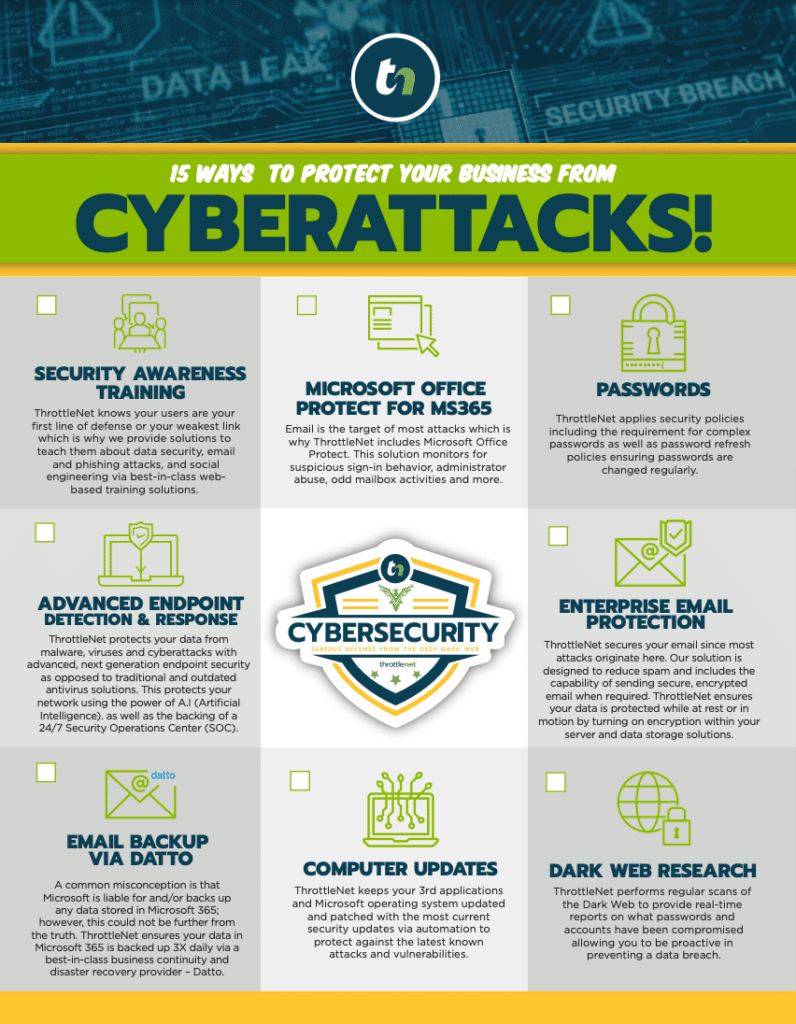
- Enterprise-Grade Cybersecurity: We embed a 24/7 Security Operations Center (SOC) and next-gen endpoint protection into our services. We believe in our protection so much that we back it with our exclusive $500,000 Cybersecurity Protection Program, covering issues like ransomware and business email compromise (the leading cause of wire fraud).
- Strategic Growth with a vCIO: You don’t just get an account manager; you get a dedicated Virtual Chief Information Officer (vCIO) who helps you map your technology to your business goals, plan budgets, and ensure compliance.
- Complete Cloud Management: Our dedicated cloud services team handles your Microsoft 365 or Google Workspace environments, ensuring your agents have reliable, secure access anywhere they go.
Frequently Asked Questions (FAQ)
What are the 4 types of cloud services?
You might hear different acronyms, but they generally break down into four categories:
- Public Cloud: Services delivered over the public internet and shared across organizations (like Microsoft 365 or Google Workspace).
- Private Cloud: Cloud infrastructure dedicated solely to your specific agency, offering higher control.
- Hybrid Cloud: A mix of both public and private clouds, sharing data between them.
- Multi-Cloud: Using multiple cloud providers (e.g., using AWS for storage and Microsoft for email) to prevent relying on a single vendor.
Is the cloud actually safe for real estate data?
Yes, but only if configured correctly. Major cloud providers have security infrastructures that dwarf what a small business could build locally. However, under the Shared Responsibility Model, your data is only as secure as your access controls (like passwords and MFA).
How can I protect my clients from wire fraud?
Wire fraud almost always begins with a compromised email account. To protect your clients, enforce Multi-Factor Authentication (MFA) across all email and financial accounts, never email wire instructions directly (use secure portals or phone verification), and conduct regular phishing awareness training for your entire staff.
Do small O’Fallon agencies need the same security as national brokerages?
Absolutely. In fact, hackers frequently target smaller businesses precisely because they assume small agencies have weaker security in place. An automated ransomware attack doesn’t care about the size of your business; it only cares about finding a vulnerability.
Your real estate agency thrives on trust and mobility. By understanding how the cloud works and implementing a solid security foundation, you can ensure your team remains productive in the field while keeping your clients’ most sensitive data out of the hands of cybercriminals.
If you’re ready to see how enterprise-level IT support, rapid response times, and an exclusive $500k cybersecurity protection plan can safeguard your O’Fallon real estate business, exploring managed IT services is your crucial next step.