
If you are like most business owners in O’Fallon, there is a good chance you approve a monthly invoice for Microsoft 365. It is the invisible engine powering your emails, your spreadsheets, and your daily meetings.
But here is a question that often catches leaders off guard: Are you actually getting a return on that investment, or are you just renting digital office space?
There is a widespread misconception in the business world that Microsoft 365 is a “set it and forget it” platform. You buy the licenses, hand out the email addresses, and assume your team is good to go. The reality? Without active management and optimization, unmanaged Microsoft 365 accounts quietly leak money through unused licenses, frustrate employees with slow performance, and leave your front door wide open to cyber threats.
Let’s demystify Microsoft 365. Think of this guide as sitting down for coffee with a knowledgeable IT strategist. We are going to skip the technical jargon and focus entirely on how to transform your Microsoft 365 environment from a frustrating expense into a streamlined, secure, productivity powerhouse.
The “Set It and Forget It” Trap: Why M365 Needs Active Management
When you buy a high-performance vehicle, you don’t just drive it indefinitely without changing the oil or checking the tire pressure. Microsoft 365 operates on the same principle.
Microsoft provides incredible, enterprise-grade tools. But out of the box, those tools are not configured for the unique workflows of your specific business.
When an IT environment isn’t actively optimized, technical issues masquerade as business problems. For example, what an IT engineer calls “network latency” or “poor tenant configuration,” a business owner experiences as slow file loading times that cost employees hours of wasted productivity each week. What an engineer calls “weak access controls” eventually becomes a devastating data breach.
Active optimization bridges the gap between the technology you pay for and the business outcomes you actually want.
Your M365 Toolkit Explained in Plain English
Before we optimize, let’s establish exactly what tools you have at your disposal.
- Exchange (Your Communication Gatekeeper): This is the backbone of your email. But optimized correctly, it’s not just an inbox, it is an intelligent system that filters out malicious phishing attempts before your employees even see them, protecting your company from the number one cause of ransomware.
- SharePoint (Your Secure Digital Filing Cabinet): Forget the chaotic, endless folders on a shared physical server. SharePoint is an intelligent intranet where documents are securely stored, easily searchable, and instantly accessible to the right people (and completely invisible to the wrong ones).
- Teams (Your Central Command Hub): More than just a video calling app, Teams is where work actually happens. It connects your front office staff with your remote workers or warehouse floor, organizing conversations around specific projects so nothing gets lost in an email chain.
The Three Pillars of Microsoft 365 Optimization
To truly maximize your investment, your optimization strategy should rest on three core pillars.
Pillar 1: Cost Optimization (Stop Wasting Money)
One of the most common issues we see when auditing small business accounts is license sprawl. Companies routinely overpay for premium licenses assigned to users who only need basic access, or worse, they continue paying for licenses of employees who left the company months ago.
The Fix: Implement a routine “License Decision Matrix.” Audit your roster quarterly. Does your warehouse manager need the full, premium desktop suite of Office apps, or would a less expensive, web-only license suffice? Reallocating and right-sizing licenses is often the fastest way to instantly reduce your monthly IT spend.
Pillar 2: Productivity Optimization (Get More Done)
If your team is constantly complaining about slow applications or spending twenty minutes searching for a single document, your M365 environment is actively working against you.
The Fix: Organize your SharePoint architecture logically so files are exactly where employees expect them to be. Furthermore, look into basic workflow automation. Simple routines, like automatically saving email attachments from specific vendors into a designated SharePoint folder, can eliminate hours of tedious manual data entry every week.
Pillar 3: Security Optimization (Protect Your Business)
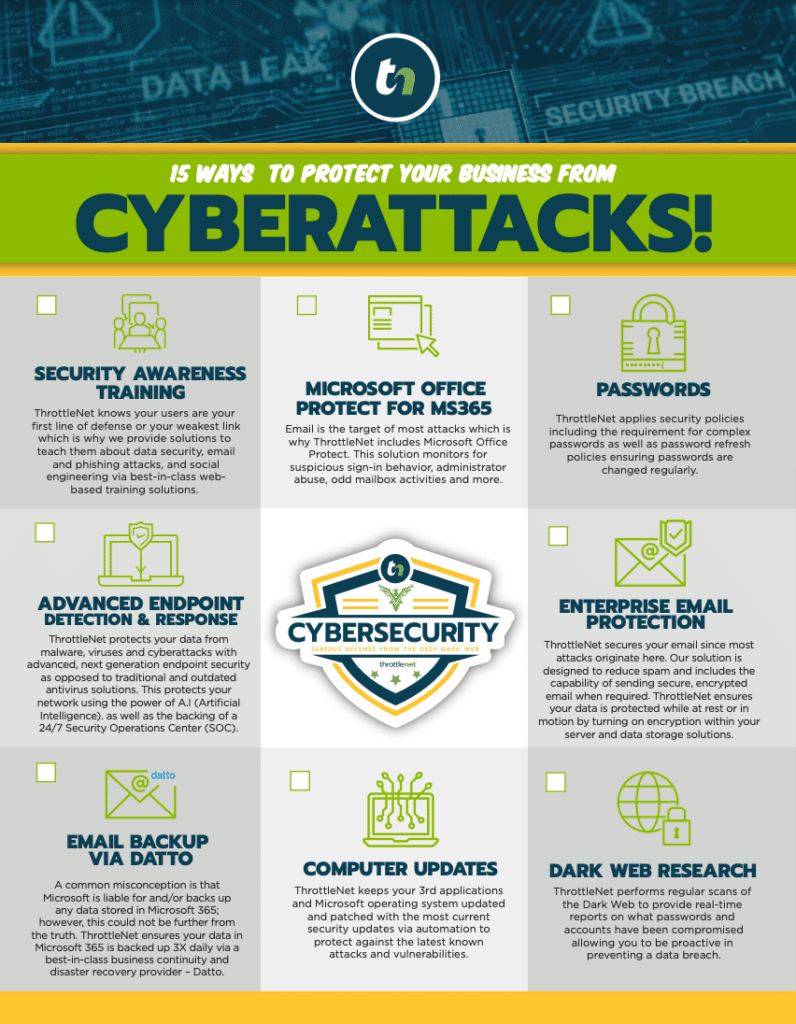
Small businesses are prime targets for cybercriminals because they often lack enterprise-grade security. Microsoft 365 has incredibly robust security features, but many of them are turned off by default.
The Fix:
- Enforce Multi-Factor Authentication (MFA): This single action blocks 99.9% of automated account compromise attacks.
- Implement Data Loss Prevention (DLP): Set rules that prevent an employee from accidentally (or intentionally) emailing sensitive information like client Social Security numbers or credit card data outside the organization.
- Backup Verification: Microsoft guarantees the uptime of their servers, but they do not back up your data indefinitely. If an employee maliciously deletes files, or a ransomware attack encrypts your SharePoint, a third-party backup solution is your only safety net.
Connecting M365 to Your O’Fallon Business Goals
How does this look in the real world? Let’s look at how local Midwest businesses apply these principles to solve actual headaches.
The Local Accounting Firm During tax season, a local accounting firm was bogged down by clients emailing unencrypted, sensitive financial documents back and forth. By optimizing their SharePoint and utilizing secure external sharing links, clients can now upload documents directly into a secure portal. The firm eliminated email clutter, ensured strict regulatory compliance, and shaved hours off their weekly processing time.
The St. Charles County Manufacturer A manufacturing company struggled with miscommunication between the production floor and the front office. By deploying Microsoft Teams on mobile devices for floor managers, and integrating it with their daily reporting, issues on the line are now photographed and instantly shared with the engineering team in a dedicated Teams channel. The result? Faster problem-solving and significantly less downtime.
Your Microsoft 365 Business Health Check
Wondering where your business stands? Take 60 seconds to answer these four questions:
- Do you know exactly how many M365 licenses you are paying for versus how many are actively used?
- Is Multi-Factor Authentication (MFA) strictly enforced for every single employee, without exception?
- Can your remote or traveling team members securely access company files without dealing with clunky, slow VPN connections?
- Do you have an independent, verified backup of your M365 data (emails, Teams chats, and SharePoint files)?
If you answered “No” or “I’m not sure” to any of these, your environment is ripe for optimization.
Frequently Asked Questions (FAQ) About Microsoft 365 Support
What is Microsoft 365 optimization? Optimization is the process of fine-tuning your Microsoft 365 settings, licenses, and architecture to align perfectly with your business goals. It ensures you are not overpaying for licenses, your team is working as efficiently as possible, and your data is locked down against cyber threats.
Is Microsoft’s built-in support enough for my business? Microsoft’s direct support is excellent for fixing broad, platform-wide outages, but they don’t know your specific business. They won’t tell you if your SharePoint permissions are a mess or if you are overpaying for licenses. For strategic guidance, troubleshooting, and daily employee support, businesses need a dedicated IT partner who understands their unique operational needs.
What are the first 3 things a small business should do to optimize M365? First, turn on Multi-Factor Authentication for everyone. Second, audit your billing to ensure you are only paying for active, necessary licenses. Third, establish a third-party backup for your M365 data to ensure business continuity in case of a disaster.
How do I know if my current setup is inefficient or insecure? Look for the warning signs: Employees saving company files to personal hard drives because “SharePoint is too hard,” a high volume of spam or phishing emails reaching inboxes, or IT costs that seem to creep up every quarter without a clear reason why.
Next Steps: Moving from Frustration to Seamless Productivity
Mastering Microsoft 365 shouldn’t require you to moonlight as an IT engineer. Your focus belongs on growing your business, serving your clients, and leading your team.
When a business reaches a point where technology feels like a hurdle rather than a tailwind, it’s time to bring in specialists.
This is where a truly optimized managed IT approach changes everything. Imagine having an IT environment where problems are resolved in minutes, not days. ThrottleNet is built specifically to turn tech frustration into joy. With an industry leading 90-second average response time, an incredibly high 93% same-day issue resolution rate, and a dedicated vCIO (Virtual Chief Information Officer) to guide your strategic planning, we don’t just fix what’s broken, we actively manage and optimize your tools so they never break in the first place.
Plus, as the only provider in the region backing our cybersecurity with a $500,000 protection program, we ensure that while your team is collaborating efficiently in the cloud, your business remains fully protected.
You invest good money into your business technology. It’s time you partnered with a team that ensures you get every ounce of value out of it.