Picture this: It’s 9:15 AM on a Tuesday. Your waiting room is completely full. Your hygienist is gloved up, your patient is settled into the chair, and you are ready to begin. You turn to the monitor to pull up the patient’s x-rays and treatment plan, but the screen is frozen. Your Electronic Medical Records (EMR) system is down.
In a busy dental practice, this isn’t just a minor technical glitch. It is a full-stop operational crisis.
For a standard three-chair St. Louis dental practice, we’ve calculated that a single hour of EMR downtime can easily cost over $1,500 in lost production, wages, and wasted resources. And that doesn’t even account for the invisible cost: the frustration of patients who took time off work only to be told they need to reschedule.
For dental practice owners and office managers, IT support is often viewed as a background utility—something you only think about when it breaks. But as the industry becomes increasingly digitized, your technology infrastructure is actually the heartbeat of your clinic.
If you’ve ever wondered how to protect your patient data, keep your practice compliant, and eliminate the costly downtime of slow software, you’re in the right place. Let’s break down everything you need to know about navigating IT, security, and EMR systems in the St. Louis market.
The Foundation: The 3 Pillars of a Modern Dental Practice
A secure, efficient, and profitable dental practice rests on three distinct technological pillars. If any one of these is weak, the entire patient experience suffers.
1. EMR/EHR Systems (The Digital Backbone)
Whether you rely on Dentrix, Eaglesoft, Open Dental, or a cloud-based alternative, your Electronic Medical Records (EMR) and Electronic Health Records (EHR) software is your digital backbone. These systems house incredibly complex databases that integrate with digital sensors, 3D imaging software, and billing platforms. They require specialized network configurations to run smoothly. Generic IT support often struggles here because they treat a dental network like a standard corporate office network, leading to laggy software and constant system crashes.
2. Patient Data Security (Unbreakable Trust)
Dental offices are prime targets for cybercriminals. Why? Because you hold a goldmine of personally identifiable information (PII) and protected health information (PHI), including social security numbers, medical histories, and payment details. Protecting this data isn’t just about preserving patient trust; it’s about survival. A single ransomware attack can shut down a practice for weeks.
3. Operational Uptime (The Key to Profitability)
Many IT providers like to boast about “99% uptime.” But in a dental setting, it’s not just about uptime—it’s about the speed of recovery and its direct impact on the patient in the chair. If your imaging software crashes, waiting four hours for a call back from a generalist IT technician isn’t an option. Swift IT resolution ensures patient flow remains completely uninterrupted.
Debunking the 3 Biggest Myths About Cloud EMR in Dentistry
As practices look to upgrade their technology, we frequently hear the same concerns. Let’s clear the air on three of the most common misconceptions about dental IT.
Myth #1: Cloud EMR is less secure than an in-house server.
The Reality: Many practice owners feel safer when they can physically point to the server humming in their closet. In truth, local servers are highly vulnerable to localized disasters (like a pipe bursting), physical theft, and ransomware. Reputable cloud hosts and managed IT providers use enterprise-grade encryption and 24/7 Security Operations Centers (SOC) that far exceed the security capabilities of a standard in-house server.
Myth #2: Comprehensive IT support is too expensive for a small practice.
The Reality: The unpredictable “break-fix” model—where you only call an IT person when something breaks—is vastly more expensive in the long run. Between the $1,500/hour downtime costs, emergency technician fees, and the devastating financial fines of a HIPAA violation, reactive IT is a massive financial risk. Proactive Managed IT provides predictable monthly budgeting and prevents the fires before they start.
Myth #3: Any “computer guy” can handle dental software.
The Reality: Integrating digital panorex machines, intraoral cameras, and specialized EMR software requires a specific skill set. When issues arise, you don’t have time to pay an IT generalist to learn how Dentrix communicates with your sensors. You need specialists who understand the ecosystem intuitively.
The St. Louis HIPAA and Data Security Framework
Navigating compliance isn’t just a federal issue; it’s a local one. While most practice managers are highly attuned to federal HIPAA regulations, many are unaware of specific state-level nuances.
Missouri Data Breach Notification Laws
In addition to federal HIPAA mandates, Missouri has its own data breach notification laws. If unencrypted personal information is compromised, Missouri law dictates specific timelines and protocols for notifying affected residents and the state Attorney General. Navigating the intersection of federal and state laws is incredibly complex, which is why having an IT partner with dedicated compliance and cybersecurity experts is non-negotiable.
The 5-Point HIPAA Security Checklist for St. Louis Dental Offices
Not sure where your practice stands? Use this foundational checklist to evaluate your current security posture:
- Signed Business Associate Agreements (BAAs): Do you have legally binding BAAs with every third-party vendor (including your IT provider) that touches your PHI?
- Routine Risk Assessments: Are you conducting documented, annual HIPAA risk assessments to identify technical vulnerabilities?
- Continuous, Verified Backups: Are your backups encrypted, stored off-site, and—most importantly—tested regularly to ensure data can actually be restored?
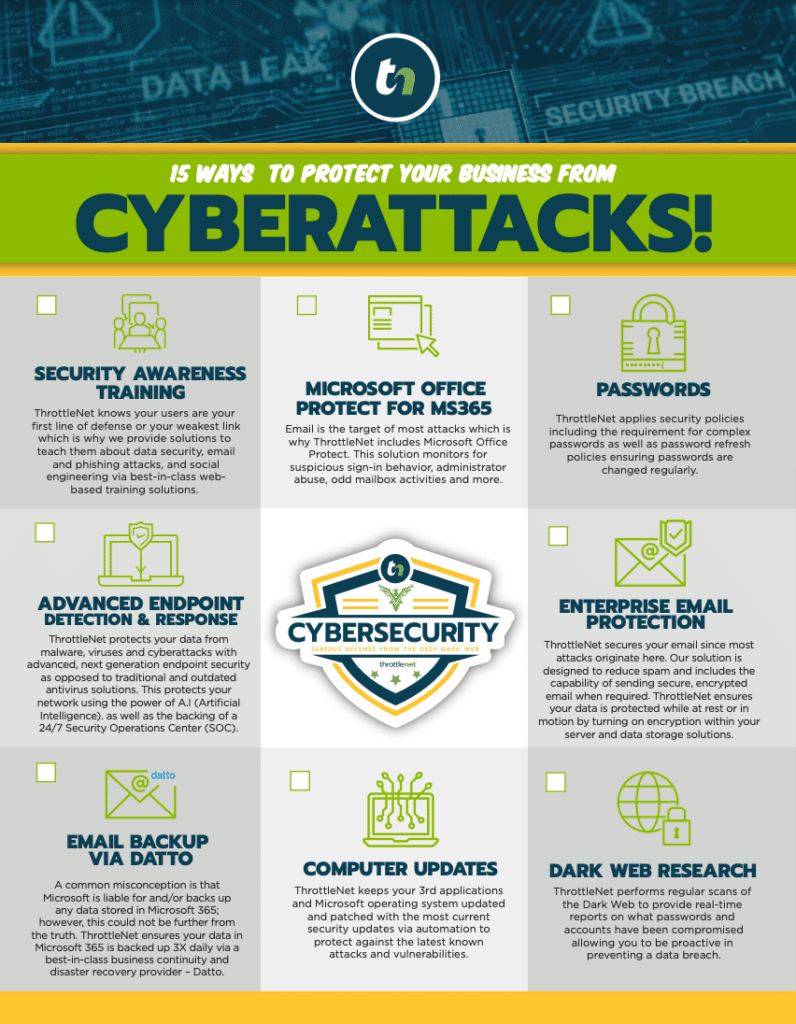
- Next-Gen Endpoint Protection: Have you moved beyond basic antivirus software to advanced, behavior-based threat monitoring that can stop ransomware in its tracks?
- Ongoing Employee Training: Does your team know how to spot a sophisticated phishing email designed to look like a message from Henry Schein or Delta Dental?
Optimizing for Practice Growth and Efficiency
When your IT is truly optimized, it stops being a source of frustration and starts becoming a catalyst for growth.
Securing Teledentistry
As teledentistry becomes a more prominent offering, ensuring that video consultations and remote data transmissions are entirely encrypted and HIPAA-compliant is vital. A secure network architecture allows you to offer modern conveniences to your patients without opening backdoor vulnerabilities.
The Online Review Connection
Have you ever considered how your IT impacts your Google reviews? When technology is slow, appointments run behind. Patients spend more time waiting and less time being treated. Conversely, swift IT support keeps your schedule running like clockwork, leading to happy patients who are far more likely to leave glowing 5-star reviews for your St. Louis practice.
Scaling to Multiple Locations
Opening a second or third location introduces massive technical complexities. How do you centralize your EMR so patients can visit any office? How do you unify your phone systems? Scaling requires strategic, long-term technology roadmaps. This is where a Virtual Chief Information Officer (vCIO) becomes invaluable—helping you align your technology budget with your business growth goals.
Your Practice’s IT Health Check: 10 Questions to Ask Your Potential IT Provider
If you are evaluating your current IT setup or looking for a new partner, use these questions as your decision-making framework:
- What is your average response time? (Industry leaders should measure this in seconds, not hours. For context, ThrottleNet averages a 90-second response time.)
- What is your same-day resolution rate? (Look for providers resolving over 90% of issues on the same day.)
- Are your technicians generalists, or do you have dedicated specialist teams?
- Do you require long-term, multi-year contracts? (Exceptional providers earn your business every month and offer no-contract options.)
- How do you handle cybersecurity and ransomware protection?
- Will we receive a dedicated technology strategist (vCIO) or just an account manager?
- Is 24/7 network monitoring and patching included in your monthly fee?
- How do you document and track our network health and IT assets?
- What financial guarantees do you offer if we experience a cyber breach?
Frequently Asked Questions (FAQ)
What is the most common IT problem in dental offices?The most frequent disruptions usually revolve around EMR software integrations. Specifically, software running slowly, freezing during patient checkouts, or losing connection with digital imaging hardware (like intraoral cameras or X-ray sensors).
How fast should an IT company respond to a dental emergency? Because a halted EMR system directly impacts patient care, your IT provider should respond in under 5 minutes. A multi-tiered help desk ensures that critical issues aren’t sitting in a “Level 1” queue while patients are waiting in the chair. ThrottleNet, for example, maintains an industry-leading 90-second average response time and a 93% same-day resolution rate.
Is an on-premise server or cloud better for a dental practice?There is no one-size-fits-all answer, as it depends on your specific EMR vendor, internet reliability, and growth plans. However, the industry is heavily trending toward cloud solutions due to enhanced security, remote accessibility, and disaster recovery benefits.
What happens if our practice is hit by ransomware?If your data is encrypted by hackers, your ability to treat patients ceases immediately. With standard IT, you may be forced to pay the ransom or lose days of data. Advanced managed security involves persistent threat monitoring, verified backups, and financial safety nets. To date, ThrottleNet customers have never paid a ransomware attack, and their security services are backed by an exclusive $500,000 Cybersecurity Protection Program.
Next Steps: Securing Your Practice’s Digital Future
You went to dental school to provide exceptional clinical care, not to troubleshoot frozen servers or worry about Missouri data breach notification laws.
Your technology should be an invisible, reliable force that empowers your team to do what they do best. When you transition from reactive break-fix support to a proactive, specialist-driven IT partnership, you eliminate the $1,500 hours of downtime and gain total peace of mind.
If you are ready to see exactly where your practice stands, the best first step is to get a clear, unbiased picture of your network health. Consider scheduling a Free On-Site Assessment and Security Report. It’s an opportunity to uncover hidden vulnerabilities, evaluate your EMR performance, and build a strategic roadmap that keeps your St. Louis dental practice secure, compliant, and thriving.