

This retailer’s guide to secure POS exists because your Point-of-Sale terminal is the financial heartbeat of your business — and one of the most attractive targets a cybercriminal can find. Consider a busy Saturday. Your store is packed, the line stretches to the door, and your team is firing on all cylinders. Then the dreaded happens: the POS system freezes. Or the internet drops. Or, far worse, you learn later that a customer’s credit card data was compromised while they were shopping with you.
For modern retail businesses processing thousands of dollars in daily transactions, you are a high-value target. Yet many local retailers operate with a false sense of security, assuming that buying big-name POS software automatically means they’re protected. The reality? Modern POS systems are essentially high-value computers holding lucrative data. Treating them like traditional, “set it and forget it” cash registers is a recipe for expensive downtime and devastating data breaches.
Whether you run a single boutique or a multi-location operation across St. Louis, this retailer’s guide to secure POS will demystify the technology powering your transactions. Let’s explore what it actually takes to secure your POS system, guarantee your network uptime, and confidently navigate PCI compliance.
The “Iceberg” of Retail Technology: What You Don’t See
When most retailers think about their POS system, they picture the sleek tablet or dual-screen register on the front counter. But in retail IT, the terminal is just the tip of the iceberg. The real engine — and the real risk — lies beneath the surface: your store’s internet router, the network switch hidden in the back office, your guest Wi-Fi configuration, your local servers, and the physical USB ports on your hardware.
Myth: My POS software provider (like Square, Clover, or Lightspeed) handles my security. Reality: Your POS vendor secures their cloud software and payment gateways. You are 100% responsible for securing your store’s physical network, employee devices, and the internet connection that software runs on. Understanding that your POS is one piece of a larger digital ecosystem is the foundation of any retailer’s guide to secure POS.
The 3 Pillars of a Retailer’s Guide to Secure POS
Securing a retail environment without an internal IT team boils down to three foundational pillars. Every effective retailer’s guide to secure POS is built on these three, so let’s break them down.
Pillar 1: Network Segmentation (Building the Digital Wall). The first step in any retailer’s guide to secure POS is separating your money network from everyone else’s traffic. Imagine allowing every customer who walks into your store to step behind the register, open the till, and poke around. You’d never allow that physically — but many retailers accidentally allow it digitally. If a customer’s smartphone (connected to your free “Guest Wi-Fi”) is on the same network as your POS system, you have a massive vulnerability. Network segmentation builds an invisible, impenetrable digital wall between your public internet and your private money network, so even if a guest downloads malware while drinking coffee in your store, that virus has zero pathway to your credit card terminals.
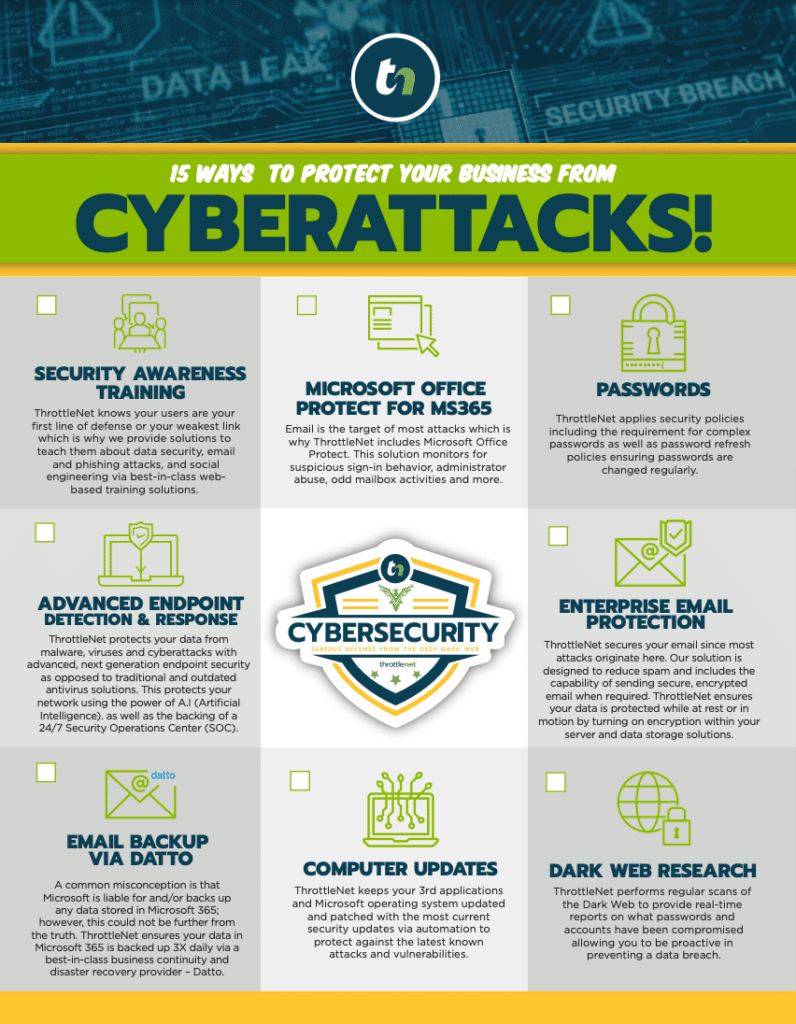
Pillar 2: Advanced Threat Protection (Beyond Basic Antivirus). Basic antivirus only looks for known viruses. But criminals targeting retail use sophisticated tactics like “RAM scrapers” — malware designed to copy credit card numbers the exact millisecond they’re swiped, before encryption kicks in. To stop this, modern retail environments require Advanced Threat Protection and 24/7 Security Operations Center (SOC) monitoring — a dedicated cybersecurity team watching your endpoints around the clock. At ThrottleNet, we believe in this proactive approach so strongly that our security stack is backed by a one-of-a-kind $500,000 cybersecurity protection program. You need a system that detects and neutralizes threats at 2:00 AM, long before you unlock the doors at 8:00 AM.
Pillar 3: Network Reliability (Stopping Downtime Before It Starts). Security is only half the battle; the other half is keeping the lines moving. The Retail Downtime Calculator is simple: Average Hourly Revenue × Hours of Downtime + Wasted Employee Wages + Lost Customer Lifetime Value = the true cost of IT failure. If a busy St. Louis retailer making $1,500 an hour loses internet for four hours on a weekend, that’s a minimum $6,000 loss — not counting the damage to customer trust. Managed IT support prevents this through 24/7 network monitoring, catching failing hardware or internet disruptions before they cause an outage. And when an issue does occur, a multi-tiered help desk allows a provider to average a 90-second response time and resolve 93% of issues the same day.
Demystifying PCI Compliance for Local Business Owners
If you accept credit cards, you’re bound by the Payment Card Industry Data Security Standard (PCI DSS). For many owners, reading the official PCI documentation feels like translating ancient Greek. You might see requirements like “Implement strict access control measures” or “Maintain a vulnerability management program.”
Here’s the plain-English translation: you need professional-grade firewalls, updated antivirus software, unique employee passwords that are regularly changed, and a system that logs exactly who accesses your network and when. The secret to passing PCI compliance isn’t learning to do all of this yourself — it’s partnering with an IT provider who shifts the technical heavy lifting off your shoulders. A true managed IT partner implements the firewalls, handles the patching, enforces the security policies, and provides the documentation you need to pass your audits with flying colors. That hand-off is a core reason any retailer’s guide to secure POS points toward managed IT.
The Local Advantage: Why Remote IT Isn’t Enough for Retail
In retail, physical infrastructure matters. Cloud software has changed the game, but you still have receipt printers, barcode scanners, physical routers, and employee workstations. National POS vendors offer great software, but their support usually means waiting in a remote chat queue while a level-one technician asks you to “unplug the router and plug it back in.”
This is the piece most templates miss, yet it’s central to a practical retailer’s guide to secure POS: local retailers in the greater St. Louis area need a hybrid approach — world-class remote monitoring combined with fast, local deployment. Partnering with a regional expert means getting a dedicated Virtual Chief Information Officer (vCIO) who understands your business goals, an IT roadmap that aligns with your growth, open-book transparency, and the peace of mind that if a physical switch fails, a local expert can be on-site to fix it.
The Retail Network Security Audit
No retailer’s guide to secure POS is complete without a self-audit. Take a walk through your store today and ask yourself these questions to spot common IT flaws hiding in plain sight:
- Are our POS terminals plugged into the exact same router broadcasting our “Free Public Wi-Fi”?
- Are the physical USB ports on our POS computers exposed or locked down?
- Who handles our IT updates? Are we relying on a busy store manager to remember to click “Update Now” on the register?
- If a POS terminal goes down right now, do we have a guaranteed support response time, or are we at the mercy of a 1-800 number?
Frequently Asked Questions
What exactly is network segmentation in retail? It’s the cornerstone of any retailer’s guide to secure POS. Network segmentation divides your store’s network into separate, isolated parts. Your POS system operates on a completely different “digital highway” than your back-office computers, security cameras, and customer Wi-Fi. If one segment is compromised, hackers cannot cross over into the network where credit card data lives.
If I use a modern cloud POS like Square, Toast, or Clover, am I automatically PCI compliant? No. These providers ensure their platforms and payment gateways are PCI compliant, but the physical network inside your store must also meet compliance standards. If your Wi-Fi is unencrypted, or employees share weak passwords to access the terminal, your business is not PCI compliant.
How does 24/7 network monitoring actually prevent POS downtime? Most IT problems leave warning signs. A router might start dropping packets, or a hard drive might show thermal stress days before it fails. 24/7 proactive monitoring acts as a “check engine light” for your IT provider, alerting them to these anomalies so they can fix or replace the failing component before it ever impacts your checkout line.
What’s the difference between a generalist IT guy and a multi-tiered help desk? A single “IT guy” works linearly — if they’re busy fixing a printer, your down POS system waits. A multi-tiered help desk routes your issue immediately to the right specialist: simple fixes go to Tier 1, while complex outages are instantly escalated to Tier 3 engineers. This structured approach is why specialized providers can deliver 90-second response times and 93% same-day resolution.
Your Next Steps Toward Retail Resilience
Your POS system is the financial heartbeat of your retail business. Securing it shouldn’t be a source of stress, and keeping it online shouldn’t require you to become an overnight technology expert. By following this retailer’s guide to secure POS — network segmentation, proactive threat protection, and managed compliance — you can protect your revenue and your reputation.
Ready to see where your store currently stands? The smartest first step is gaining visibility. Consider scheduling a comprehensive, risk-free IT assessment to evaluate your current network health, identify hidden vulnerabilities, and build a roadmap for a faster, more secure retail environment.