
Imagine it’s 2:00 PM on a Tuesday. Your firm is humming along—briefs are being drafted, client calls are taking place, and billable hours are stacking up. Suddenly, the document management system freezes. Then, email goes down.
For many managing partners, this scenario is treated as an annoying IT glitch. But let’s run the numbers: If ten of your attorneys, billing at an average of $400 an hour, are locked out of their systems for just four hours, your firm hasn’t just experienced a computer issue. You’ve just lost $16,000 in unrecoverable revenue.
When you frame it that way, the true cost of reactive IT becomes clear.
In today’s legal landscape, technology isn’t just a commodity expense—it is your firm’s primary engine for revenue protection and ethical compliance. Under ABA Model Rule 1.6, safeguarding client data is no longer just an IT best practice; it is a malpractice mandate.
This shift is exactly why forward-thinking law firms are ditching the traditional “break-fix” IT guy and partnering with a Virtual Chief Information Officer (vCIO). Let’s dive into how a vCIO can help your firm translate technical jargon into strategic business outcomes, optimize your IT budget, and build a roadmap for sustainable growth.

Decoding the vCIO: Your Firm’s Strategic Translator
A common misconception is that a vCIO is just a glorified IT account manager. In reality, a vCIO is a fractional executive whose primary job is to act as a translator. They take your firm’s operational goals, growth targets, and ethical obligations, and translate them into a secure, scalable technology architecture.
Most managed service providers (MSPs) rely on a small team of generalists. But a true vCIO model operates differently. At ThrottleNet, for example, our IT Consulting and Strategy framework gives clients access to a dedicated seven-person vCIO strategy group. This means you aren’t just getting someone to reset passwords; you’re partnering with a team that focuses on long-term planning, cybersecurity risk management, budgeting, and aligning your technology investments with Outside Counsel Guidelines (OCG) to prevent bill rejections.
The Law Firm IT Budgeting Masterclass
When it comes to legal tech budgeting, managing partners frequently ask: “What percentage of our revenue should we be spending on IT?”
According to industry data from organizations like Gartner, average firms spend roughly 2-3% of their revenue on technology just to “keep the lights on.” However, rapid-growth firms—those actively scaling and leveraging tech for competitive advantage—typically invest 4-7%.
Where does that extra 2-4% go? It goes into strategic software, automation, and cybersecurity frameworks that preserve the billable hour.
The True Cost of Ownership: In-House vs. vCIO
When scaling, many firms default to hiring an internal IT manager. But let’s look at the economics:
- The In-House Generalist: Hiring a single mid-level internal IT professional typically costs between $105,000 and $165,000 annually (salary, benefits, and ongoing training). Even then, one person cannot be an expert in every discipline—from cloud migrations to cybersecurity threat hunting.
- The Co-Managed or Managed vCIO Model: Partnering with a specialized IT firm generally runs between $150 and $275 per user, per month. For a 30-person firm, that’s roughly $54,000 to $99,000 a year.
More importantly, that investment doesn’t buy you one generalist. It buys you a multi-tiered help desk built for speed and accuracy. For instance, ThrottleNet’s multi-tier local help desk boasts an industry-leading 90-second average response time and a 93% same-day resolution rate. Problems are solved faster because tickets are immediately routed to the right specialist—Tier 1 for rapid fixes, Tier 3 for advanced infrastructure—eliminating the “level 1 bottleneck.”
Preserving Revenue Realization
Financial data indicates that law firms, on average, only realize about 85% of their billed revenue. A vCIO helps close this gap. By implementing zero-based budgeting (ZBB) and capacity-tracking software, a vCIO ensures your tech stack is directly preventing burnout, balancing associate workloads, and capturing lost time.
Constructing the 36-Month Legal Technology Roadmap
One of the biggest mistakes law firms make is the “set and forget” budget. Technology evolves too quickly for annual guessing games. A vCIO creates a living, breathing 36-month technology roadmap.
Here is what that strategic timeline looks like in practice:
Phase 1 (Months 1-6): Security, Compliance, & Infrastructure Baseline
Before you can innovate, you must secure the foundation. Phase 1 is about mitigating risk and ensuring compliance with ABA Model Rule 1.6 and local data privacy laws (like the NY SHIELD Act).
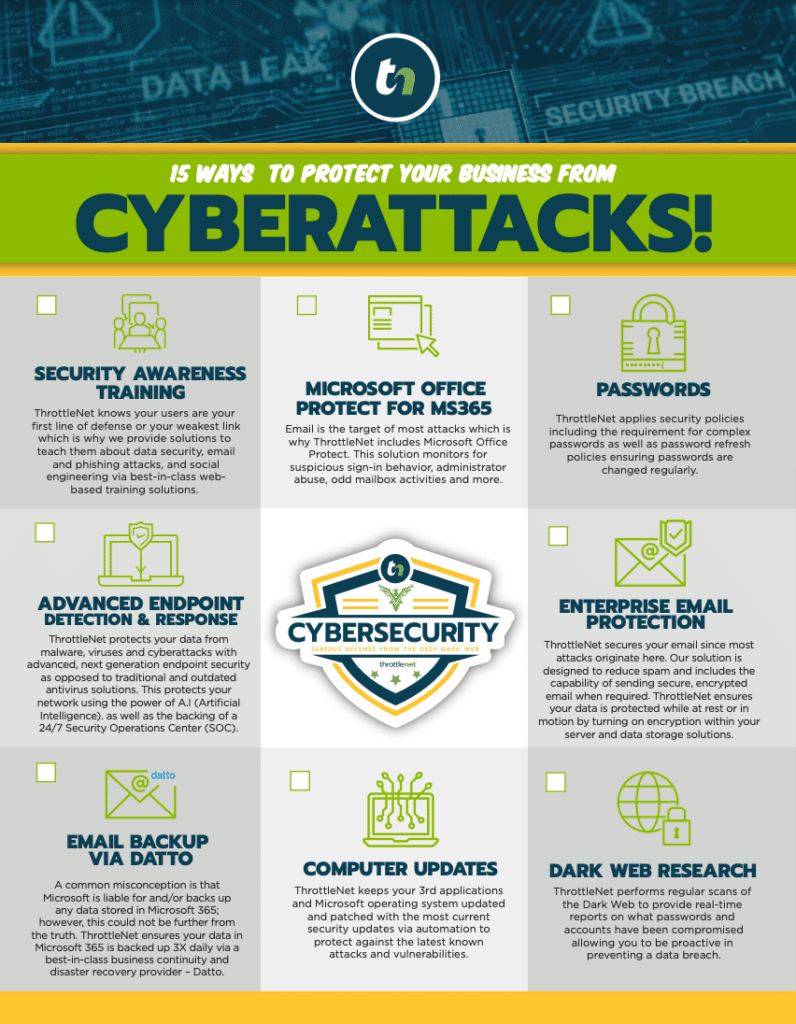
- Actions: Deploy next-generation endpoint security, implement Multi-Factor Authentication (MFA), and establish a 24/7 Security Operations Center (SOC).
- The ThrottleNet Edge: During our 30-day onboarding, we lock in your IT foundation, map your network diagram, and activate our $500,000 Cybersecurity Protection Program—covering ransomware, business email compromise, and regulatory fines so you can operate with absolute peace of mind.
Phase 2 (Months 7-18): Practice Management Integration & Cloud Migration
Once secure, the focus shifts to efficiency and mobility.
- Actions: Migrate legacy on-premise servers to secure cloud environments (like Microsoft 365 or Azure). Optimize case management software to ensure attorneys have secure, uninterrupted access to files whether they are in the courtroom, at home, or in the office.
- The ThrottleNet Edge: All users get trained on the TN TechHub—our intuitive IT portal that allows administrators to track support tickets, monitor IT performance, and collaborate with their vCIO from a single dashboard.
Phase 3 (Months 19-36): Automation, AI Workflows, & Advanced Analytics
Currently, research shows that roughly 78% of legal departments lack dedicated funding for emerging tech like Artificial Intelligence.
- Actions: Your vCIO carves out budget for advanced workflows, such as AI-assisted legal research and document automation, safely introducing these tools without cannibalizing your core IT budget or violating client confidentiality.
Evaluating the ROI: Reactive IT vs. vCIO Strategy
How do you know if your current IT support is holding you back? Look at the difference between “Good” (reactive) and “Great” (strategic) IT:
| The Focus | Reactive “Break-Fix” IT | Strategic vCIO Partnership |
|---|---|---|
| Mindset | IT is an overhead expense to be minimized. | IT is a strategic driver for revenue and compliance. |
| Security | Installs antivirus software and hopes for the best. | Deploys persistent dark web monitoring, ongoing backup verification, and simulated phishing training. |
| Budgeting | Surprise invoices when servers inevitably crash. | Predictable, scalable planning with quarterly vCIO technology alignment meetings. |
| Support | You leave a voicemail and wait hours for a callback. | You click a desktop chat icon and get a response in an average of 90 seconds. |
The vCIO Readiness Checklist for Managing Partners
Are you ready to elevate your firm’s technology strategy? Ask yourself these five questions:
- Do we have a documented, 36-month roadmap for our technology investments?
- Are our cybersecurity measures actively aligned with ABA Model Rule 1.6 and our cyber-insurance requirements?
- Do our attorneys experience frequent downtime or software friction that limits their billable hours?
- Are we currently tracking the exact ROI and utilization rates of our practice management software?
- Do we have dedicated funding set aside to securely integrate AI and automation over the next two years?
If you answered “No” to more than two of these, your firm is outgrowing its current IT infrastructure.
Frequently Asked Questions (FAQ)
What exactly does a Virtual CIO (vCIO) do for a law firm?
A vCIO acts as a dedicated IT strategist who understands both technology and the business of law. They focus on long-term planning, cybersecurity risk management, compliance alignment, vendor management, and creating technology roadmaps that fuel firm growth.
How much does it cost to hire a vCIO?
Rather than paying a six-figure salary for a full-time, in-house CIO, a vCIO is typically bundled into Managed IT or Co-Managed IT services. Costs generally range from $150 to $275 per user, per month, giving you access to an entire team of specialists for a fraction of the cost of one internal hire.
Can a vCIO help if we already have an internal IT person?
Absolutely. This is called Co-Managed IT. Internal IT teams at law firms are often overwhelmed acting as jacks-of-all-trades. A vCIO and specialized engineering team can support your internal staff by handling high-level strategy, 24/7 network monitoring, and enterprise-level cybersecurity, freeing your internal team to focus on daily user support.
How does a vCIO help with ethical compliance (like ABA Model Rule 1.6)?
ABA Model Rule 1.6 requires lawyers to make reasonable efforts to prevent the inadvertent or unauthorized disclosure of client information. A vCIO implements the necessary technical safeguards—such as encrypted email, secure cloud backups, and active network threat monitoring—to ensure your firm meets these ethical and regulatory standards.
Why is ThrottleNet’s help desk approach different?
ThrottleNet utilizes a unique multi-tier help desk staffed by specialists, not generalists. Because issues are immediately escalated to the correct engineering tier (from rapid fixes to complex infrastructure), we maintain a 90-second average response time and resolve 93% of issues on the same day.
Next Steps for Your Firm
Transitioning from a reactive IT environment to a proactive, vCIO-led strategy doesn’t happen overnight, but it starts with understanding your current baseline.
You don’t need to guess where your vulnerabilities lie. If you want to see exactly how your firm’s technology stack measures up against industry standards, compliance mandates, and modern cybersecurity threats, it’s time to look under the hood.
Explore a Free On-Site Assessment and Security Report with ThrottleNet to identify your risk exposure, uncover hidden budget waste, and take the first step toward building a 36-month technology roadmap designed for your firm’s future.