

It’s a quiet Tuesday morning at your church office. The weekend services went smoothly, the volunteer schedules are set, and a staff member is sorting through emails. They see an email with a resume attached from someone applying for the open youth ministry position. They click the PDF.
Nothing happens. Or so they think.
In a real-world case that recently made headlines, an Iowa church experienced exactly this. That single click on a fake job application wasn’t a harmless mistake—it was a ransomware payload. Within hours, the church lost access to seven years of financial records, sermon notes, and member data.
When people walk through your doors, they trust you with their spiritual well-being. But when they click “Give Online” or fill out a connection card, they are trusting you with something highly practical: their most sensitive personal and financial data.
The reality is that churches are custodians of incredibly valuable information. Yet, when it comes to IT security, many faith-based organizations operate on a hope-and-pray methodology. In this guide, we are going to bridge the gap between complex cybersecurity concepts and the daily realities of church administration. We’ll look at how modern attacks happen, debunk dangerous myths, and walk through the exact architecture needed to protect your congregation’s data.
Debunking the Myths: The Vulnerability of Trust
The biggest threat to a church’s digital security isn’t a hacker in a dark room; it’s the psychological barrier of “Immunity by Faith.” Too often, church leadership assumes they are morally exempt or simply too small to be targeted. Let’s dismantle a few common misconceptions.
Myth 1: “We’re too small to be a target.”
Automated ransomware bots don’t know the difference between a Fortune 500 company and a local parish. They scan the internet for vulnerabilities, exploiting whatever they find. Worse, cybercriminals are increasingly using a tactic called Double Extortion. They don’t just lock your files; they steal your sensitive donor and member data and threaten to publish it online unless a ransom is paid. Suddenly, a data breach isn’t just an IT headache—it’s a massive breach of congregational trust.
Myth 2: “Our general liability insurance covers cyberattacks.”
Many church administrators assume their standard insurance policy is a catch-all. It isn’t. Without dedicated cyber insurance—and the verified IT protocols required to qualify for it—your church could be left footing the bill for regulatory fines, legal fees, and total system rebuilds.
Myth 3: “We use cloud-sync, so our data is backed up.”
Common Mistake: Believing that syncing tools like Dropbox, Google Drive, or OneDrive act as disaster recovery backups. The Fact: If ransomware hits a staff member’s computer, the malicious encryption simply syncs to the cloud, locking your online files just as quickly as your local ones.
Progress Checkpoint (Self-Audit):
- Does our church have dedicated cyber liability insurance?
- Are we relying on file-syncing instead of true, disconnected backups?
- Do our staff and volunteers use the same Wi-Fi network as our Sunday guests?
The Anatomy of a Church Cyberattack
To defend your church, you first have to understand how the enemy gets in. Research shows that a staggering 88% of data breaches are caused by human error. Let’s look at how an attack typically moves through a faith-based organization.
Step 1: The Phishing Hook
Cybercriminals exploit empathy. The “Urgent Pastor Request” is a classic social engineering scam where an email appearing to be from the lead pastor asks a staff member to urgently buy gift cards for a charity. Or, as we saw in the Iowa church example, it’s a malicious payload disguised as a resume.
Step 2: Lateral Movement Through a “Flat Network”
If a volunteer clicks a bad link on a Sunday morning while connected to the church’s Wi-Fi, what happens next? In many churches, the network is “flat”—meaning the public guest Wi-Fi is on the same exact network as the financial office and the member database. The malware uses this open highway to travel directly from the volunteer’s smartphone to the church’s core servers.
The Multi-Layered Security Matrix: Building Your Defense
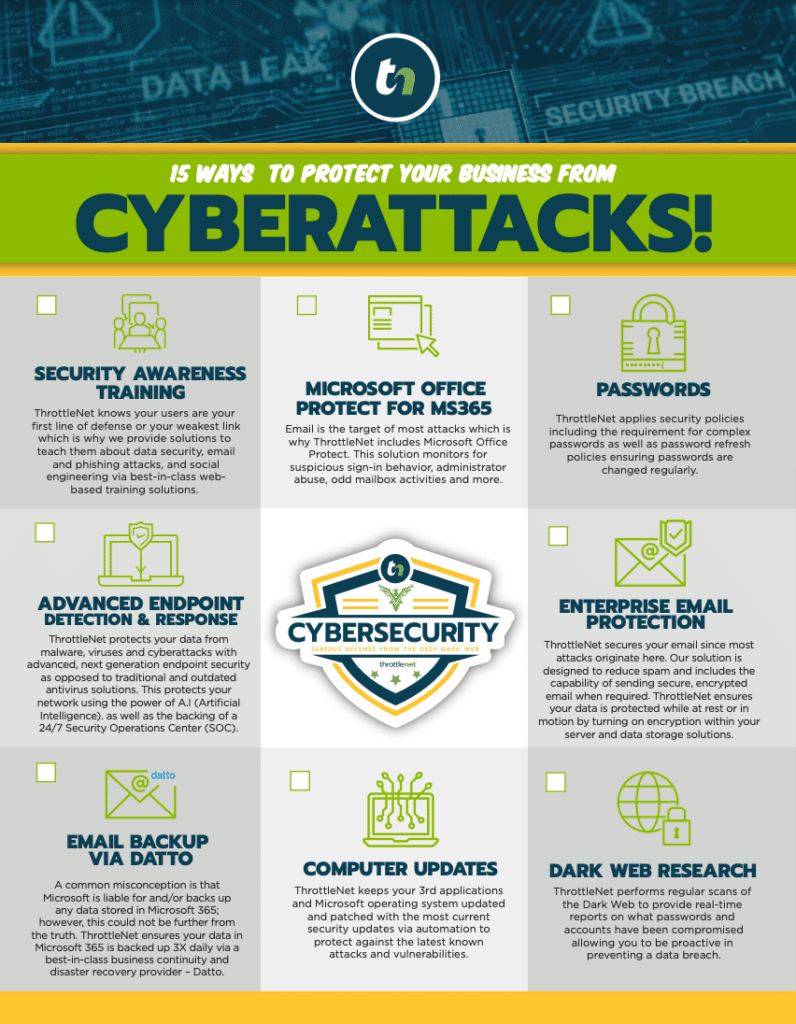
Protecting your church requires moving away from just buying antivirus software and toward building a robust IT security architecture. At ThrottleNet, we design these frameworks to be preventative, detective, and responsive.
1. Preventive: Controlling Who Has Access
The foundation of good security is Identity and Access Management (IAM). Simply put, this means ensuring that the only people who can access specific data are the ones who absolutely need it to do their jobs.
- The Rule of Least Privilege: A Sunday school volunteer shouldn’t have access to the church’s tithing records. By limiting user permissions, you drastically limit how far ransomware can spread if one account is compromised.
- Network Segmentation: Think of your network like a church building. You want the sanctuary open to everyone (Public Guest Wi-Fi), but the financial office locked with a key (Admin Network), and the server room locked with a keypad (Secure Operations). Segmenting your network prevents a virus on a guest’s phone from reaching your internal databases.
2. Detective: Dark Web Monitoring
Most IT advice focuses on what happens after an attack. Dark Web Monitoring is a proactive measure. When people reuse passwords across different websites (like using their church email and password for a personal retail account), a breach on that retail site means the church credential is now for sale on the dark web. Dark web monitoring acts as a digital smoke alarm, alerting your IT team to leaked passwords so they can be changed before a hacker uses them to log into your church network.
3. Responsive: The 3-2-1 Offline Backup Rule
If disaster strikes, how do you recover without paying a ransom? You implement the 3-2-1 backup rule for your donation and member databases:
- 3 copies of your data (your primary data and two backups)
- 2 different media types (e.g., a local server and a cloud environment)
- 1 copy stored entirely off-site and disconnected from your main network.
Note: With proper multi-layered security and verified backups, businesses don’t have to negotiate with hackers. In fact, in over two decades of operation, ThrottleNet clients have never paid a ransomware attack demand.
Securing Your Digital Giving: A Blueprint for Donation Platforms
Online tithing platforms are incredible tools for generosity, but they introduce third-party risk. Your church’s website, your donation API, and your internal member database are all interconnected parts of an ecosystem.
When setting up or auditing your digital giving, ensure your platform is strictly PCI Compliant (Payment Card Industry Data Security Standard). This means the platform—not your local church server—should handle the actual processing and encryption of credit card data. Furthermore, ensure end-to-end encryption is active so that data traveling from a donor’s smartphone to the payment processor cannot be intercepted.
The 48-Hour Implementation Plan: Taking Action
Knowledge is only as good as the action it inspires. Here is how you can begin securing your church environment this week:
- Audit Your Wi-Fi: Contact your internet provider or IT manager today to ensure your Guest Wi-Fi is entirely segmented from your Staff/Admin network.
- Enforce Multi-Factor Authentication (MFA): Turn on MFA for all staff email accounts and your church management software (ChMS). This one step blocks 99.9% of automated credential attacks.
- Evaluate Your IT Support Structure: Is your internal IT volunteer burning out? A true Managed Service Provider (MSP) should act as a partner. For instance, a Co-Managed IT model allows your on-staff IT person to handle day-to-day desktop support while a dedicated external team handles 24/7 network monitoring, advanced cybersecurity, and long-term strategy.
When your technology is managed properly, problems are solved faster. At ThrottleNet, our unique multi-tiered help desk ensures that issues are immediately escalated to the correct level of engineering talent—resulting in an industry-leading 90-second average response time and a 93% same-day resolution rate.
Frequently Asked Questions (FAQ)
What is ransomware protection?
Ransomware protection isn’t a single software; it’s a multi-layered strategy. It includes next-generation endpoint security to block malicious files, dark web monitoring to catch stolen passwords, employee training to identify phishing emails, and isolated backups so that even if data is locked, you can restore it without paying the attackers.
How do we separate public guest Wi-Fi from staff networks?
This process, called network segmentation, is achieved by configuring your church’s router or firewall to broadcast a completely separate Virtual Local Area Network (VLAN). This creates a digital “wall” between the internet guests use and the internal network where your sensitive files live.
What happens if we just pay the ransom?
A common misconception is that paying the ransom fixes everything. Reality proves otherwise. Paying funds criminal organizations, doesn’t guarantee you will get your data back, and flags your organization as a “willing payer,” making you a target for future attacks. Furthermore, even if you regain access, your infrastructure is still compromised and must be completely rebuilt.
What is a vCIO, and why does our church need one?
A Virtual Chief Information Officer (vCIO) is a dedicated IT strategist who understands both technology and organizational growth. Unlike a traditional IT “account manager,” a vCIO focuses on long-term budgeting, compliance, disaster recovery planning, and aligning technology initiatives with your church’s mission.
Next Steps in Your Church IT Journey
Protecting your congregation’s data doesn’t require fear—it requires a solid architecture. By moving away from reactive “break-fix” solutions and embracing a proactive, fully managed cybersecurity framework, your church staff can get back to what truly matters: serving your community.
If you are unsure where your church’s network vulnerabilities lie, you don’t have to figure it out alone. Gaining visibility is the first step toward peace of mind. Consider taking advantage of a comprehensive basic and advanced risk assessment to evaluate your current setup, uncover hidden risks, and map out a technology roadmap that keeps your ministry secure, compliant, and ready for the future.