

Manufacturing made up 65% of the industrial ransomware victims Dragos counted in the second quarter of 2026, 747 of 1,140 incidents worldwide. For an owner or operations lead at a small or mid-sized plant, managed IT security is how you get people watching both your office network and the systems that keep the line running, without hiring a full security staff of your own.
Managed IT security is an outside team that protects your business around the clock: monitoring computers, servers, email and network traffic, investigating anything suspicious, and stepping in to contain an attack. For a manufacturer, good managed IT security covers the front office and the plant floor differently, because shop-floor machines often can’t run normal security software. It also protects your designs and customer specs, and it puts a named party on the hook for response.
In this article
- What Managed IT Security Covers, in Plain Terms
- Why Plants Are a Target
- What 24/7 Monitoring Watches in the Office Versus on the Shop Floor
- Why Shop-Floor Machines Need a Different Approach
- Keeping Designs and Customer Specs Safe
- Managed Security Versus Buying Antivirus
- What a Plant Should Expect From a Provider’s Security Team
- Questions to Ask Any Managed IT Security Provider
- Frequently Asked Questions
- Where to Start
What Managed IT Security Covers, in Plain Terms
Managed IT security covers the daily work of keeping attackers out and catching them fast when they get in. A provider runs the tools, watches the alerts, applies the fixes and responds to incidents, so your team doesn’t have to.
Most managed IT security services include a common set of pieces:
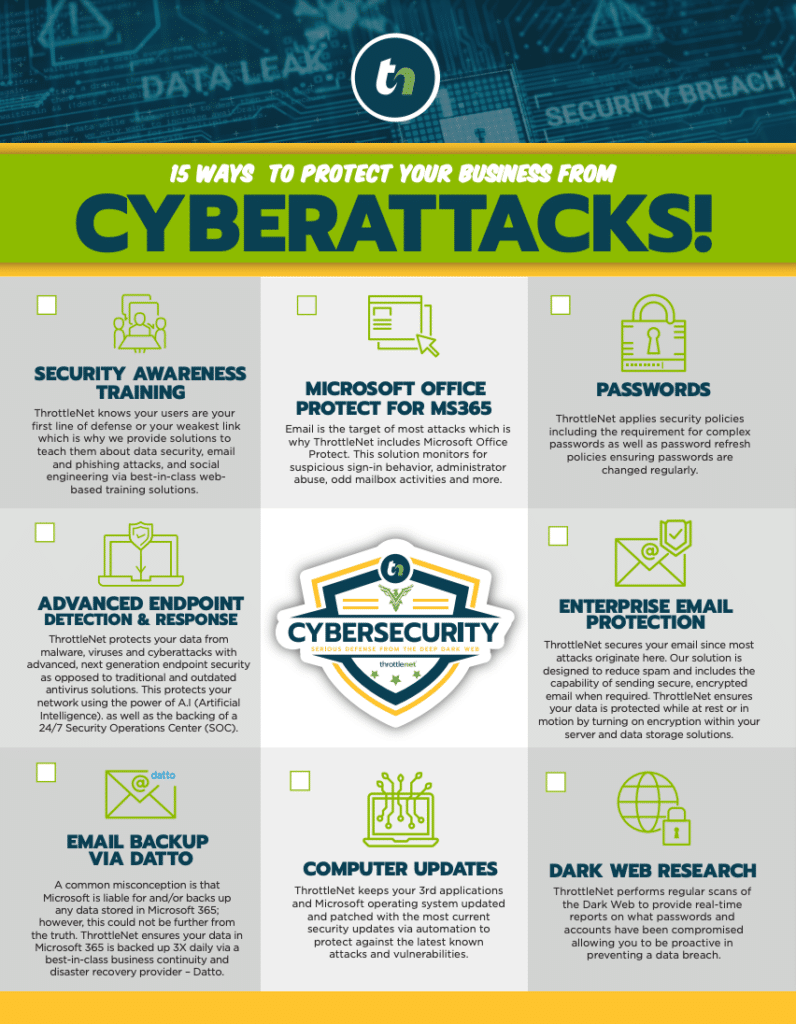
- 24/7 monitoring of computers, servers, accounts and network traffic by a security operations center (SOC), a team of analysts whose whole job is watching alerts and acting on them.
- Endpoint detection and response, software on each computer that spots unusual behavior and lets an analyst isolate the machine.
- Email protection that filters phishing and impersonation attempts before they reach your people.
- Multi-factor authentication (MFA), a second check at login beyond the password.
- Patch management, keeping operating systems and software updated against known holes.
- Backup verification, testing that backups actually restore.
- User training, so staff can spot a fake invoice or a suspicious login prompt.
- Incident response, a plan and a team that acts when something gets through.
The reason manufacturers buy this as a service comes down to staffing. Keeping a security team awake at 3 a.m. on a Sunday is out of reach for most small and mid-sized plants.
Why Plants Are a Target
Plants are a target because downtime is expensive and attackers know it. When a line stops, every hour of production downtime costs output, overtime and customer goodwill, which puts pressure on an owner to pay a ransom and get running again.
The numbers from recent industry reports point the same direction:
- IBM’s X-Force Threat Intelligence Index 2026 reports manufacturing as the most-targeted industry for the fifth straight year, at 27.7% of the incidents its responders handled.
- Verizon’s 2026 Data Breach Investigations Report snapshot for manufacturing found ransomware in 61% of manufacturing breaches, up from 47% the year before.
- In Sophos’s 2025 survey of manufacturers hit by ransomware, exploited vulnerabilities were the most common root cause at 32%, and malicious email came next at 23%.
Two other things raise the risk for plants. First, office and plant networks are more connected than they used to be, so a stolen office password can sometimes reach production. Second, your designs, tooling files and customer specs are worth money to someone else.
What 24/7 Monitoring Watches in the Office Versus on the Shop Floor
In the office, monitoring watches people, accounts and computers. On the shop floor, it watches machines and the traffic between them, with a heavy priority on not disrupting production. NIST’s guide to operational technology (OT) security, SP 800-82, makes this point directly: on the plant floor, security has to weigh performance, reliability and safety, not only keeping data private.
| Front office network | Plant floor (OT) | |
|---|---|---|
| Main worry | Stolen accounts, ransomware, data theft | Stopped production, unsafe operation, tampering |
| What is watched | Unusual logins, endpoint alerts, suspicious file or cloud access | New or unknown devices on the network, unusual commands between machines |
| Changes flagged | New admin accounts, misuse of remote-admin tools | Changes to controller programs, changes to how machines are connected |
| Remote access | Staff working from home, cloud apps | Equipment vendors connecting in to service machines |
| Typical response | Isolate the computer, reset the account | Alert the plant and decide together; avoid cutting off a running process |
| Tools | Endpoint detection and response, email filtering, MFA | Network traffic monitoring, segmentation, controlled vendor access |
A security operations center is the team behind that monitoring. Software raises the alert, and a trained analyst decides whether it’s real, what it touches and what to do next.
Why Shop-Floor Machines Need a Different Approach
Shop-floor machines need a different approach because many of them can’t run antivirus or take regular patches. A programmable logic controller (PLC), the small computer that runs a machine or a process, often doesn’t use a general-purpose operating system. A scan can interfere with timing, a patch may mean stopping the line or waiting for the equipment maker to approve it, and unapproved software can void the vendor’s support.
CISA, the federal cybersecurity agency, recommends compensating controls when a system can’t be patched or patching could affect availability. In practice, that looks like this:
- Segmentation. Separate the plant network from the office, guest Wi-Fi and supplier connections, so an infected laptop can’t reach a controller.
- Traffic monitoring. Watch what the machines say to each other and flag anything new.
- Controlled vendor access. Equipment makers often connect in remotely. Their access should be approved, logged and turned off when the job is done.
- An accurate asset inventory. CISA lists knowing every device on the plant network as a starting point, because you can’t protect a machine you don’t know is there.
Some of this is a shared job. The equipment vendor may own the controller software, your plant manager owns production decisions, and your manufacturing IT support provider owns the monitoring and the network. A good provider says up front which parts it handles and which it coordinates with others.
Keeping Designs and Customer Specs Safe
Designs and customer specs stay safe when access is narrow, files are tracked, and copies exist that an attacker can’t touch. CAD files, drawings and customer specifications are often the most valuable data a plant holds.
Practical controls that make a difference:
- Know where the files live. Inventory and label the folders that hold designs and customer specs.
- Give access only to the people who need it, with MFA on every account that can open those files.
- Encrypt sensitive files and the devices that carry them.
- Separate engineering systems from production, guest and supplier networks.
- Watch for mass downloads and unusual transfers out of the business.
- Keep offline, tested backups, so a locked file server is a recovery job rather than a ransom decision.
- Remove access the day someone changes roles or leaves, and pass the same expectations on to suppliers who handle your files.
If you make parts for the defense supply chain, your contracts may carry extra requirements for handling controlled information. Check each contract’s CUI clauses and CMMC Level 2 requirements for small manufacturers with whoever manages your compliance.
Managed Security Versus Buying Antivirus
Managed security adds people and process on top of the tools, which antivirus alone can’t supply. Antivirus is software that blocks known threats on one computer. It still belongs on supported workstations, but it has no one watching it and no one to call when it misses something.
| Capability | Antivirus alone | Managed IT security |
|---|---|---|
| Blocks known malware on a computer | Yes | Yes |
| Someone watching alerts at night and on weekends | No | Yes, a staffed SOC |
| Investigates suspicious behavior | No | Analysts review and decide |
| Isolates an infected machine | No | Yes, with a person confirming |
| Patches software and checks it worked | No | Yes |
| Filters phishing email | No | Yes |
| Tests that backups restore | No | Yes |
| Trains staff to spot phishing | No | Yes |
The gap shows up after an alert fires. With antivirus alone, the alert goes to a screen nobody is reading. With managed IT security, it goes to a person whose job is to answer it.
What a Plant Should Expect From a Provider’s Security Team
A plant should expect a written scope, a staffed SOC, clear rules about what the provider may shut off, and regular reporting. Anything less leaves you guessing who is responsible when something happens.
Scope in writing. What is monitored, what isn’t, and who owns each license. Plant-floor systems in particular should be named, either as covered or as excluded.
A staffed SOC, every hour. Ask whether people are watching, or only software.
Separate clocks for each step. Acknowledging an alert, figuring out what it is, containing it and resolving it are four different times. A provider should state them separately.
Clear authority. Agree in advance what the provider may isolate on its own, such as an office laptop, and what needs a call to your plant manager first, such as anything on the production network.
Reporting. A monthly summary of what was found and fixed, plus immediate contact during an incident.
At ThrottleNet, managed IT includes a 24/7 security operations center and a dedicated cybersecurity team. When a security question turns into a support ticket, it lands on our multi-tier help desk, and that structure is why problems get solved faster: each request goes straight to the engineer level that can fix it. Our support team responds in under 90 seconds on average. Onboarding takes 30 days, and protection starts on day one. We back the work with our $500,000 Cybersecurity Protection Program, which covers ransomware and data theft, business email compromise, regulatory fines and legal fees, downtime and recovery expenses, and cyber extortion payments. No ThrottleNet client has ever paid a ransom.
Questions to Ask Any Managed IT Security Provider
These questions are useful whether you talk to us or to someone else:
- Who watches the alerts at 2 a.m. on a Saturday, and are they your own staff?
- Which of our systems are covered, and which plant-floor systems are excluded?
- What will you isolate without asking us, and who at our plant do you call first?
- How do you handle equipment vendors who need remote access to our machines?
- How do you test that our backups restore, and how often?
- What do your monthly reports show, and who walks us through them?
- What happens in the first hour of a ransomware incident?
- How do you protect our design files and customer specs specifically?
Frequently Asked Questions
What are examples of managed IT services?
Common examples are help desk support, network management, cloud and Microsoft 365 administration, backup and disaster recovery, patching, and IT strategy. Cybersecurity is often part of the same plan, which is how ThrottleNet delivers it.
What is the difference between an MSP and an MSSP?
A managed service provider (MSP) keeps your day-to-day IT running, and a managed security service provider (MSSP) focuses on security and typically runs its own SOC. Many MSPs now include security, so the written scope tells you more than the label does.
Does a plant still need antivirus with managed IT security?
Yes, on office computers and other supported workstations, where it’s usually part of the endpoint protection the provider installs. Leave it off controllers and machine computers unless the equipment maker approves it, since unapproved software can affect timing or void support.
Do defense subcontractors need more than managed IT security?
Often, yes. A contract that involves controlled defense information can require you to meet NIST SP 800-171 and to report cyber incidents to the Department of Defense, and those requirements flow down to subcontractors, so read each contract’s clauses before choosing a provider.
Why did my insurer ask about MFA and admin accounts?
Cyber insurers increasingly ask for documented controls, with MFA and limits on privileged accounts near the top of the list. A provider that keeps those records up to date helps you answer the renewal questionnaire accurately.
Where to Start
The first step is knowing where you stand today. A free on-site assessment and security report from ThrottleNet gives you that picture: your risk exposure, system health and IT processes, with the gaps on your office network and the places your plant floor needs attention laid out before you commit to anything. Want proof it works? Our manufacturing case study shows how one manufacturer cut downtime and protected its operations with ThrottleNet.

Author: George Rosenthal – President & Co-Owner