
Picture this: It’s 7:00 PM on a bustling Friday night in St. Charles. Your restaurant is packed, a line is forming out the door, and the kitchen is firing on all cylinders. Suddenly, the screen at the main terminal freezes. A dreaded error message flashes: “POS Unavailable.”
In an instant, your front-of-house grinds to a halt. The servers can’t send orders, the bartender can’t close tabs, and a wave of anxiety washes over the floor.
If you’ve ever managed a retail store or restaurant, you know this scenario is the stuff of nightmares. When you research point-of-sale (POS) systems online, you’ll find plenty of software companies eager to talk about accounting integrations and theoretical benefits. But they rarely address the on-the-ground reality: the physical IT infrastructure, hardware synergy, and network stability required to keep your business running when the dinner rush hits.
Buying a great POS system is only the first step. The real magic happens through seamless IT integration. Let’s pull back the curtain on how to build a POS ecosystem that actually supports your St. Charles business, keeps your data secure, and guarantees you never have to panic during peak hours.
What Does POS Integration Actually Mean?
If you search for “What is POS integration,” you’ll likely find software giants explaining how sales data flows into your general ledger (GL). While financial data mapping is important, it completely ignores the physical reality of your business.
True IT integration bridges the gap between high-level software and the network cables running through your walls. It means ensuring that your cloud software communicates flawlessly with your local network, your receipt printers, your kitchen display systems, and your payment processors.
It also means recognizing that not all POS setups are created equal.
- Retail POS vs. Restaurant POS: A standard retail system prioritizes barcode scanning and inventory tracking. Meanwhile, specialized hospitality systems—like Speedline for delivery-heavy pizzerias or Union POS for high-volume bars—require complex integrations for table mapping, rapid tab pre-authorization, and driver tracking.
The goal isn’t just to install software; it’s to build a resilient IT ecosystem tailored to how your specific team moves and works.
The Architecture of Uptime: Surviving the Friday Night Rush
One of the biggest knowledge gaps in the hospitality industry is understanding what happens when the internet drops. This brings us to a massive “Aha” moment for many business owners: Store and Forward POS.
The Magic of “Store and Forward” Technology
Many resources mention “offline mode” in passing, but understanding how it works is your ultimate insurance policy.
When your internet connection fails, a robust IT integration utilizes “Store and Forward” caching. Instead of declining a customer’s credit card, the local POS hardware acts as a secure vault. It encrypts and “stores” the transaction data locally on your machine. The moment your IT infrastructure detects that the internet connection has returned, the system automatically “forwards” the backlog of encrypted data to your payment processor.
To make this work flawlessly, your underlying network must be properly configured. Without proactive 24/7 network monitoring to instantly alert your IT team of the drop, you might operate in the dark for hours, risking massive amounts of unverified transactions.
Defining Your POS Hierarchy: Who Controls What?
IT integration isn’t just about connecting cables; it’s about defining the human element of your network. A common mistake local businesses make is the “Danger of the Super Admin”—giving every employee universal access to fix issues faster. This destroys data integrity and creates massive cybersecurity risks.
A well-integrated system defines clear, role-based IT parameters:
- The POS Manager: Needs access to front-line operations. Their permissions should allow them to void items, adjust tips, and manage daily staff permissions.
- The Store Operations Manager: Requires a wider lens. Their dashboard should integrate with inventory APIs, allowing them to track stock syncs, manage vendor orders, and oversee shift labor costs.
- The Ultimate POS Super Admin: This role is reserved for ownership or your Virtual Chief Information Officer (vCIO). The Super Admin configures network-wide data access, multi-location security settings, and overarching API permissions.
When roles are strictly defined at the network level, you dramatically reduce the risk of internal errors and external data breaches.
Advanced Integration & Security: Elevating to a Tier 1 POS
As your St. Charles business grows, you’ll eventually need to graduate to a Tier 1 POS system. A Tier 1 system is an enterprise-grade setup that supports complex API connections (like integrating third-party delivery apps directly into your kitchen display) and real-time GL integrations.
But with advanced data flow comes advanced risk. Restaurants and retail stores are massive targets for cybercriminals due to the volume of credit card data they process.
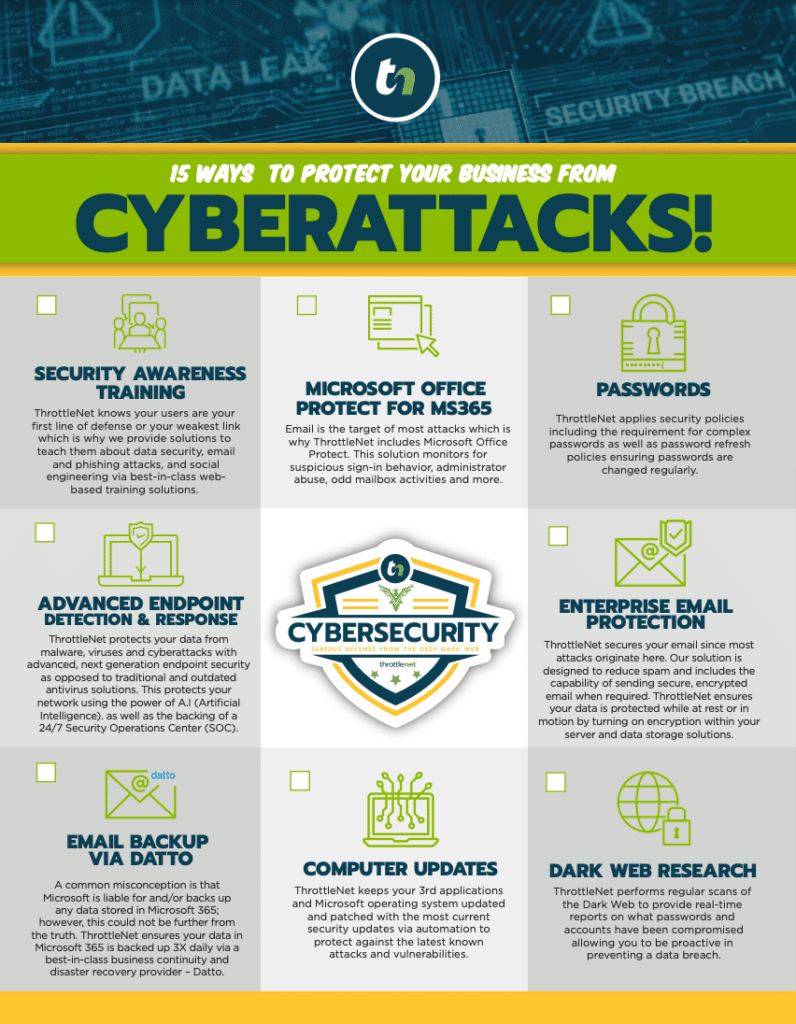
A Tier 1 POS must be backed by a multi-layered cybersecurity framework. This is where relying on a dedicated IT support partner becomes critical. Look for setups that include:
- A 24/7 Security Operations Center (SOC) monitoring for threats.
- Next-generation endpoint security on every terminal.
- Network optimization that isolates your POS traffic from your public guest Wi-Fi.
In the modern landscape, top-tier IT providers stand behind their security. For example, ThrottleNet clients operate with the peace of mind that comes from an exclusive $500,000 Cybersecurity Protection Program—and the reassurance that our customers have never paid a ransomware demand.
Implementation and Training: The Human Element
You can have the most sophisticated Tier 1 POS in the world, but if your team doesn’t know how to use it, the system fails.
The “Same Day POS” Setup Reality
Many software companies promise a “same day POS setup.” In reality, achieving a same-day launch without disaster requires a highly orchestrated IT effort. It means your network diagrams are pre-mapped, your firewalls are pre-configured, and your specialist IT engineering teams are working in tandem to launch the system seamlessly.
Enterprise Training for Local Shops
Local independent businesses can learn a lot from enterprise-level training models—often referred to as the “Kohl’s POS training” methodology. This involves creating a standardized, foolproof IT training loop for front-line staff.
Instead of throwing a new cashier to the wolves on a busy Saturday, integrated IT allows you to set up simulated “training mode” environments. Staff can practice complex split-checks, apply discounts, and navigate hardware troubleshooting without affecting the live database.
Diagnosing Common POS Nightmares (Before They Happen)
When a POS system goes down, standard software listicles will tell you to “reboot the router” or “check for a frozen screen.” But true operational stability requires a much deeper level of IT support.
When you’re losing hundreds of dollars a minute, you don’t need a generic 1-800 number. You need a multi-tiered help desk built for speed and accuracy. The best IT support structures don’t rely on generalists. They use specialist teams (networking, cybersecurity, cloud services) so that when a complex network issue knocks your POS offline, the problem is immediately escalated to the right engineer.
This approach is why leading support models in the Midwest emphasize rapid reaction times—like a 90-second average response time and a 93% same-day resolution rate. Problems are solved the right way, the first time.
Frequently Asked Questions (FAQ)
What is the difference between custom-made and third-party API integrations?
Third-party API integrations are pre-built connections that link your POS to popular external software (like DoorDash or QuickBooks). Custom-made integrations are developed specifically for your business’s unique IT infrastructure, usually requiring a specialized network engineer to ensure seamless data flow.
What does GL integration mean for my POS?
General Ledger (GL) integration automates the transfer of your daily sales, labor costs, and inventory usage directly from your POS to your accounting software. Proper IT setup ensures this connection is secure and runs automatically without manual data entry.
How fast should my IT team respond to a POS outage?
In the retail and hospitality industry, every minute of downtime costs money. You should expect an elite managed IT service provider to respond to critical outages within 90 seconds, utilizing a multi-tiered support system to immediately diagnose network or hardware failures.
Next Steps in Your IT Journey
Seamless IT integration is the silent engine driving your St. Charles business’s success. It turns chaotic, reactive technology into a predictable, secure, and profitable ecosystem.
Whether you are frustrated by frequent offline errors, worried about the cybersecurity of your transaction data, or planning to upgrade to a Tier 1 POS system, you don’t have to navigate the technical complexities alone.
The smartest move a business leader can make is to shift from reactive troubleshooting to proactive strategy. By partnering with an IT support team that offers dedicated Virtual Chief Information Officers (vCIOs), you gain access to expert technology roadmaps tailored precisely to your operational goals. Start treating your IT infrastructure as your ultimate business advantage, and ensure your team is always ready for the rush.