
It’s 8:45 AM on a Tuesday. Your operations manager is settling in at her home office in Florissant, coffee in hand, ready to finalize payroll. She opens her laptop, clicks her primary software application, and gets a dreaded spinning wheel. By 9:30 AM, she’s still locked out. By 10:00 AM, she’s frustrated, using her personal cell phone to try and track down someone who can reset her credentials.
For local businesses throughout North County and the greater St. Louis area, the transition to remote and hybrid work is no longer a temporary fix—it’s a permanent operational model. Yet, many organizations are struggling to bridge the gap between their flexible Human Resources policies and their actual IT execution.
When remote workers feel stranded by tech issues, productivity plummets and employee turnover increases. Unmanaged IT doesn’t just cause headaches; it directly impacts your bottom line. Today, we’re going to explore how modern IT support transforms distributed workforces from a logistical challenge into a competitive advantage.
Moving Beyond the Software: Defining True Remote IT Support
If you search for “remote IT support,” you’ll likely find a barrage of software vendors pushing their specific screen-sharing tools or project management apps. But robust hybrid IT isn’t about buying a single piece of software. It’s about building a resilient operational framework.
Many business leaders confuse a traditional, reactive “Help Desk” with modern “Endpoint Management.”
- Reactive Help Desk: You break something; you call a number; you wait hours for someone to fix it.
- Proactive Endpoint Management: Your IT team monitors the health, security, and updates of your laptop (the “endpoint”) in the background, preventing the issue before you even know it exists.
To understand what support your team needs, it helps to identify exactly how they work. The hybrid landscape generally falls into four distinct models:
- Remote-First: The company operates entirely online. Physical offices, if they exist, are just optional co-working spaces.
- Office-Occasional: Employees come into the office a few days a week, usually for collaborative meetings, but do deep work at home.
- Week-by-Week: Teams alternate full weeks in the office and full weeks at home to manage space and collaborate in sprints.
- At-Will: Employees choose exactly when and where they work, requiring maximum flexibility from your IT infrastructure.
No matter which model your Florissant business uses, the fundamental challenge remains the same: How do you replicate the security and efficiency of a physical office when your team is scattered across the region?
The “Virtual Office” Analogy
Think about your physical office building. You likely have a locked front door (maybe requiring a keycard), a security system, locked filing cabinets for sensitive HR data, and an office manager who makes sure the lights stay on.
When employees work from home, they leave that secure physical environment. Remote IT support is the process of building a Virtual Office.
- Instead of a physical keycard, you use Multi-Factor Authentication (MFA).
- Instead of a security guard, you use Zero-Trust Network Access and a Virtual Private Network (VPN).
- Instead of a locked filing cabinet, you use Secure Cloud Storage with strict role-based access.
Building this virtual office requires a strong foundation, which brings us to the four critical pillars of hybrid IT architecture.
The 4 Pillars of Hybrid IT Architecture
To successfully support a remote or hybrid workforce without enterprise-sized budgets, small-to-medium businesses need to focus on these four core areas.
1. Security: Securing the Perimeter When There Is No Perimeter
In the past, cybersecurity meant building a strong “firewall” around your office building. Today, your perimeter is wherever your employee opens their laptop. If an employee connects to a public coffee shop Wi-Fi or an unsecured home network, company data is at risk.
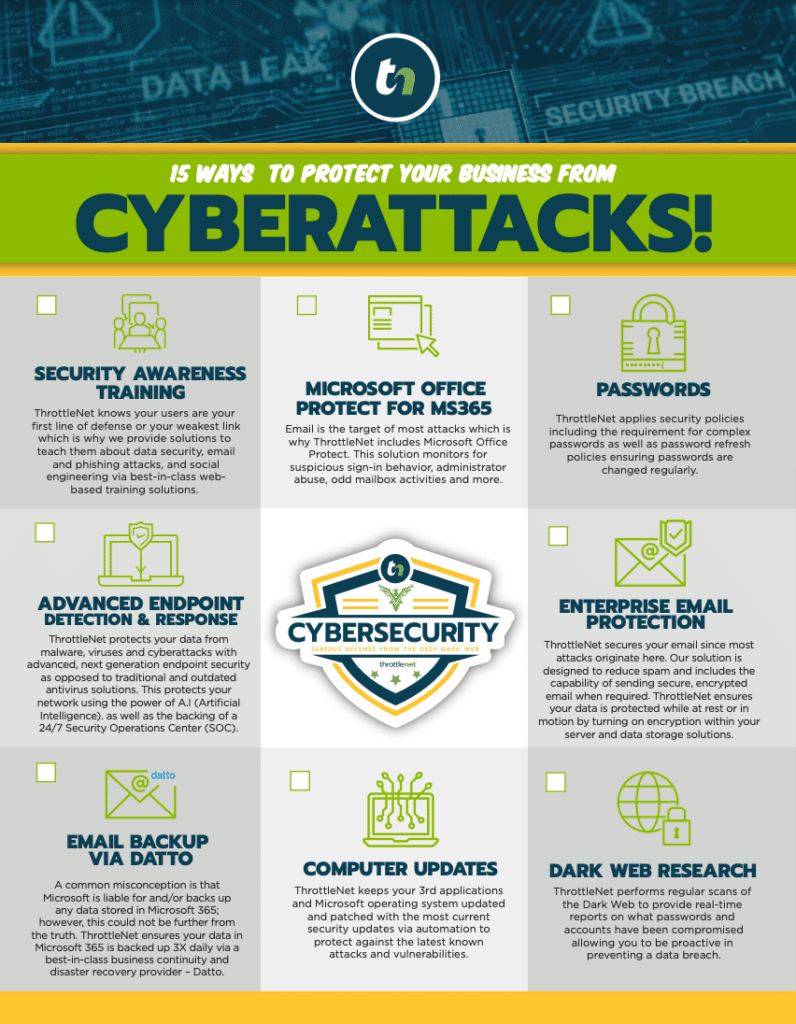
Modern remote security relies on the principle of “Zero-Trust”—meaning the system doesn’t automatically trust any user or device, even if they have the right password. It requires verification at every step. This is achieved through enterprise-grade VPNs, advanced email protection, and Multi-Factor Authentication (MFA), ensuring that even if a password is stolen, a cybercriminal cannot access your network.
Note: At ThrottleNet, we back our layered security approach with a $500,000 Cybersecurity Protection Program because we know that when the right safeguards are in place, the risk of ransomware and business interruption dramatically decreases.
2. Device Management: The Lifecycle of a Remote Device
One of the most dangerous practices in hybrid work is “BYOD” (Bring Your Own Device) without proper oversight. Allowing employees to use unpatched personal laptops for sensitive company data is a massive compliance and security risk.
To solve this, businesses utilize Mobile Device Management (MDM). MDM allows your IT team to separate company data from personal data, enforce security policies, and manage the entire lifecycle of a device seamlessly:
- Procurement: Selecting the right hardware for the employee’s role.
- Configuration: Pre-loading the laptop with all necessary security software, apps, and VPNs before the employee even opens the box.
- Deployment: Shipping the ready-to-use device directly to the employee’s home.
- Maintenance: Pushing vital security patches and software updates remotely in the background.
- Offboarding: Remotely wiping company data from the device the moment an employee leaves the company, keeping your sensitive information safe.
3. Collaboration & Communication: Busting the “Cloud is Public” Myth
There is a lingering myth among some business owners that moving data to the “Cloud” means putting it on the public internet where anyone can see it. In reality, when configured correctly, cloud environments like Microsoft 365 or Google Workspace are incredibly secure. Authenticated connections and Role-Based Access Control (RBAC) ensure that employees only see the specific files they need to do their jobs.
Furthermore, cloud technology powers Voice over IP (VoIP) and unified communications. This allows your sales or support teams to answer their official office extensions directly from their cell phones or laptops, keeping their personal numbers private and maintaining a professional front for your clients.
4. Rapid-Response Support: Keeping Distributed Teams Productive
When a remote worker runs into a technical wall, they can’t just tap their IT guy on the shoulder. They need immediate triage and ticketing.
The industry standard for Managed Service Providers (MSPs) often involves logging a ticket and waiting hours—or days—for a “Level 1” generalist to call back. This bottleneck kills momentum. A true hybrid-ready IT partner utilizes a multi-tier help desk model with specialists, not generalists.
For context, ThrottleNet’s multi-tiered support structure routes requests immediately to the right engineering talent. This is why we maintain an industry-leading 90-second average response time and a 93% same-day resolution rate. When issues are fixed the first time, remote teams stay focused and productive.
Real-World Application: Securely Onboarding a Remote Hire in Florissant
Let’s look at how this all comes together. Imagine you are hiring a new remote project manager based in Florissant.
The Old Way (Friction & Risk): You ask the new hire to use their home computer. You email them a list of software to download, hope they figure out the passwords, and cross your fingers that their home Wi-Fi router isn’t compromised with malware. They spend their first three days on the job just trying to get access to their email.
The Hybrid-Ready Way (Seamless & Secure):Before day one, your Managed IT partner procures a business-grade laptop, installs next-gen endpoint protection, configures Microsoft 365, and sets up VPN access. The laptop is shipped to their door in Florissant.
On their first morning, they open the laptop, log in using Multi-Factor Authentication, and are instantly connected to their secure cloud dashboard. Their VoIP phone is already active on their desktop. Furthermore, they receive dedicated onboarding training on how to spot phishing attacks and how to request IT support via a simple desktop chat icon. From day one, they are secure, supported, and ready to work.
The Florissant Business Hybrid-Ready Checklist
Are you confident in your current remote setup? Use this quick self-assessment to audit your hybrid IT capabilities:
- [ ] Is our data secure on home networks? Do we require a VPN and MFA for all remote access to company data?
- [ ] Are we managing endpoints? Can we remotely locate, lock, or wipe a company laptop if an employee loses it or leaves the company?
- [ ] Is our cloud access restricted? Do we use Role-Based Access Control so employees only have access to the files necessary for their department?
- [ ] Is our IT support fast enough? Does our current IT team or provider respond to remote employee issues in minutes, or does it take hours?
- [ ] Do we have an IT roadmap? Are we actively planning our technology budgets and cybersecurity strategies with a Virtual Chief Information Officer (vCIO)?
If you checked fewer than three boxes, your remote infrastructure may be creating hidden bottlenecks and security vulnerabilities.
Frequently Asked Questions About Hybrid IT Support
What is MDM and why do I need it?
MDM stands for Mobile Device Management. It is a security software that allows a company’s IT department to monitor, manage, and secure employees’ laptops, smartphones, and tablets that are used to access company data, regardless of where the device is physically located.
Is an employee’s home Wi-Fi safe for company work?
Generally, no. Home Wi-Fi networks rarely have enterprise-grade firewalls and are often shared with smart TVs, personal tablets, and guest devices—all of which can be entry points for malware. That is why endpoint security and VPNs are vital to create a secure “tunnel” between the home network and company data.
How do we handle offboarding for a remote employee?
With proper Endpoint Management in place, offboarding is instantaneous. An IT admin can instantly revoke the user’s access to all cloud applications (Microsoft 365, internal servers, CRM) and remotely wipe the company data from the hardware, ensuring zero data leakage before the physical laptop is even shipped back to your office.
Next Steps for Your Distributed Workforce
Managing a hybrid workforce doesn’t have to mean sacrificing security or dealing with constant technical frustrations. By shifting your perspective from merely “buying remote software” to “building a resilient IT architecture,” you empower your team to do their best work from anywhere in Florissant, St. Louis, or beyond.
When you integrate proactive device management, zero-trust security, seamless cloud collaboration, and rapid-response support, you eliminate the friction that causes remote worker burnout. You transform your IT from an unpredictable expense into a strategic driver of business growth.
Ready to see how your current IT setup measures up? Start by evaluating your technology roadmap and exploring how a dedicated strategy—guided by experts—can give your organization the clarity, confidence, and security it needs to thrive in the modern workplace.