

If you run a law practice, accounting firm, or consultancy, you know that your inventory isn’t sitting on a warehouse shelf. Your inventory is billable time.
When your technology works perfectly, that time flows seamlessly into revenue. But when a server goes down, an application lags, or a cyber threat locks your team out of their files, production doesn’t just slow down, it halts entirely. Every minute of IT downtime is a minute of inventory you can never get back.
For years, many professional services leaders have treated IT as a frustrating, unpredictable line item. You cross your fingers, hope nothing breaks, and perhaps bump up last year’s IT budget by 10% just to be safe. But in today’s landscape, where clients demand ironclad data security and hybrid work requires seamless cloud collaboration, this reactive approach is holding firms back.
It’s time to shift the paradigm. IT is no longer a cost-control exercise; it is a revenue-enabling strategy. Let’s explore how to bridge the gap between where your firm’s technology is today and where it needs to be tomorrow, and how professional services leaders are leveraging strategic roadmaps to drive growth.
The “Cost of Chaos”: Why Traditional IT Budgeting Fails Professional Services
The most common budgeting mistake mid-sized firms make is the “Last-Year-Plus-10%” myth.
It works like this: you look at what you spent on IT support and software licenses last year, add a little extra for inflation, and call it a budget. This method is dangerous because it ignores the hidden waste in your organization.
Are you paying for auto-renewing software licenses for employees who left six months ago? Are you suffering from “shadow IT,” where different departments use conflicting, redundant tools? Most importantly, are you factoring in the cost of reactive, break-fix emergencies?
In professional services, the true cost of bad IT isn’t the price of a new laptop. It’s the “Cost of Chaos.” If you have 50 employees billing at $200 an hour, a single afternoon of network downtime doesn’t just cost you a few hundred dollars in IT support, it costs you tens of thousands of dollars in lost productivity and compromised client trust.
To eliminate this chaos, you need two distinct but deeply connected tools: an IT Budget and an IT Roadmap.
IT Budget vs. IT Roadmap: Understanding the Difference
Think of your firm’s growth as a cross-country road trip.
Your IT Budget is the fuel. It dictates what you can afford, how far you can go right now, and establishes your financial boundaries. Modern IT, driven by cloud computing and Managed Services, has fundamentally shifted budgeting from massive, unpredictable 5-year Capital Expenditures (CapEx, like buying a $30,000 server) to predictable, scalable monthly Operational Expenses (OpEx, like paying for secure cloud hosting per user).
Your IT Roadmap, on the other hand, is the GPS. It is a strategic 12 to 36 month timeline that ensures your technology investments actually get you to your destination. It sequences your projects so you aren’t trying to upgrade your security, migrate to the cloud, and implement a new practice management software all in the same quarter.
A budget without a roadmap is just spending money blindly. A roadmap without a budget is just a wish list.
The 5-Step Framework for Building a Strategic IT Roadmap
How do you actually build this? Whether you are a managing partner, a CFO, or an operations director, planning your IT future requires thinking like a Chief Information Officer (CIO). Here is the 5-step framework used to align technology with business growth.
Step 1: Align Technology with Firm Goals
Technology should never exist for its own sake. Before looking at software or servers, define your firm’s 1-to-3-year business objectives. Are you planning to open a new office in another state? Are you transitioning to a permanent hybrid-work model? Are you acquiring a smaller firm? Your technology roadmap must be custom-built to support these specific milestones.
Step 2: Conduct a Technology and Process Audit (The “As-Is”)
You can’t map a route if you don’t know your starting point. This phase uncovers hidden tech debt. You need a full inventory of your hardware, software, and vendor contracts. What systems are aging out? Where are the workflow bottlenecks? This audit often reveals incredible opportunities for consolidation, saving money by eliminating duplicate tools.
Step 3: Establish a Security and Compliance Baseline
For professional services, client confidentiality is everything. Whether you are beholden to SOC2, HIPAA, or strict financial industry regulations, your roadmap must prioritize security foundational work. A single data breach can erase years of brand equity. (This is exactly why ThrottleNet includes a $500,000 cybersecurity protection program and a 24/7 Security Operations Center for its clients, because basic antivirus is no longer enough).
Step 4: Sequence the Roadmap (The “To-Be”)
Once you know your goals and your gaps, it’s time to build the timeline. A standard 36 month roadmap sequences projects by business impact and urgency.
- Months 1-6: Stabilize the environment, eliminate downtime, and lock down endpoint security.
- Months 7-12: Migrate aging on-premise servers to the cloud to enable secure remote work.
- Months 13-24: Implement workflow automation and AI consulting to speed up document processing.
Step 5: Forecast the Budget (The 4-7% Rule)
What is a normal IT budget for a professional services firm? While many resources say “it depends,” industry benchmarking data consistently shows that mid-sized professional services firms should allocate roughly 4% to 7% of their annual gross revenue to technology. This includes support, hardware lifecycles, cloud subscriptions, and advanced cybersecurity. If you are spending 1%, you are likely carrying massive, unmitigated risks.
The Execution Gap: Who Drives the Roadmap?
Here is where most mid-sized firms hit a wall. The partners agree on the 5-step framework, but they look around the room and ask: Who is actually going to do this?
An internal IT manager is typically overwhelmed with resetting passwords and fixing printer jams, they don’t have the bandwidth for 3-year strategic planning. Hiring an in-house, executive-level Chief Information Officer (CIO) can easily cost $150,000 to $250,000+ per year, which is overkill for most firms with under 200 employees.
This execution gap is precisely why forward-thinking professional services leaders utilize a vCIO (Virtual Chief Information Officer).
A vCIO is a dedicated IT strategist who understands both technology and business. Unlike a standard “account manager” who just wants to sell you new laptops, a vCIO acts as an extension of your leadership team. They focus on long-term planning, cybersecurity risk management, compliance alignment, vendor management, and budgeting.
Why Professional Services Leaders Choose ThrottleNet
ThrottleNet’s approach to the vCIO role fundamentally changes how mid-sized firms operate. When you partner with ThrottleNet, you aren’t just getting a help desk; you get a dedicated vCIO specialist dedicated to your account.
Here is how strategic IT consulting transforms professional services firms:
- Quarterly Strategy Reviews: Your vCIO actively guides you through regular business reviews, ensuring your 36-month roadmap adapts to changes in your industry or firm structure.
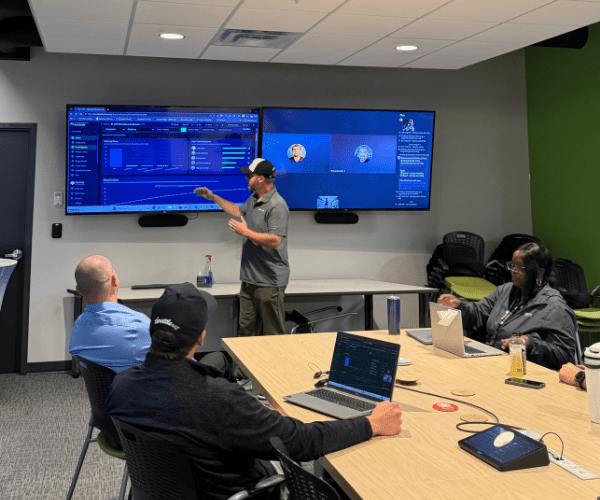
- The TN TechHub: ThrottleNet provides an intuitive, all-in-one IT intelligence dashboard. This isn’t just a place to submit a ticket. The TechHub allows CFOs and operations leaders to monitor real-time IT performance, view software inventory, and collaborate on the budget with absolute transparency.
- Unmatched Speed: Because your vCIO handles the high-level strategy, our multi-tiered, specialist support engineers handle the day-to-day. With an industry-leading 90-second average response time and a 93% same-day resolution rate, your billable hours are protected.
- Specialists, Not Generalists: We don’t rely on “jack-of-all-trades” technicians. ThrottleNet employs dedicated specialist teams for cloud migrations, cybersecurity, and project management so your roadmap is executed flawlessly.
Frequently Asked Questions (FAQ)
What is the difference between an IT Manager and a vCIO?
An IT Manager is highly tactical. Their goal is to ensure the technology you have today is working properly (fixing bugs, setting up new user accounts, managing updates). A vCIO is highly strategic. Their goal is to align technology with your business goals, forecast your 3-year budget, and ensure your infrastructure scales with your firm’s growth.
How do we accurately forecast CapEx vs. OpEx for cloud migrations?
A vCIO will help you map out the total cost of ownership. Moving to the cloud generally reduces CapEx (you no longer need to buy $20,000 physical servers every five years) and increases OpEx (you pay a predictable monthly fee for cloud hosting and Microsoft 365 licenses). This shift allows firms to scale resources up or down precisely as headcount changes.
How do we measure the ROI of our IT Roadmap?
ROI in professional services IT is measured in two main ways: reclaimed billable hours and risk mitigation. If a new cloud infrastructure saves 50 employees just 10 minutes a day of system loading time, that translates to hundreds of additional billable hours per year. Furthermore, the ROI of avoiding a ransomware attack, which can cost hundreds of thousands in downtime and reputational damage, is immeasurable. (Notably, ThrottleNet clients have never paid a ransomware attack).
Does my firm really need a vCIO if we already have an internal IT person?
Absolutely. This is called Co-Managed IT. Your internal IT person handles the daily support and user interactions they are great at, while your ThrottleNet vCIO team supports them with enterprise-level cybersecurity, 24/7 monitoring, and high-level budgeting. It prevents your internal team from burning out and gives your firm access to executive-level strategy at a fraction of the cost of a new hire.
Next Steps: Moving from Reactive to Strategic
Stop letting technology dictate your firm’s limitations. IT should be the engine that drives your utilization rates up and keeps your client data secure.
The journey from a reactive, break-fix environment to a strategic, roadmapped future doesn’t happen overnight, but it starts with a single step: gaining visibility. Before you draft next year’s budget or buy another server, take the time to assess where your firm truly stands.
By establishing a clear baseline, building a 36-month roadmap, and partnering with dedicated specialists who understand the unique demands of professional services, you can finally turn your IT from a source of frustration into your firm’s greatest competitive advantage.

